
External certificates
External certificates are certificates that the user has received outside the system at relevant trainings, seminars, etc., and added to their profile.
An Administrator with the Manage Certificates right can also add (1) external certificates by going to the User profile.
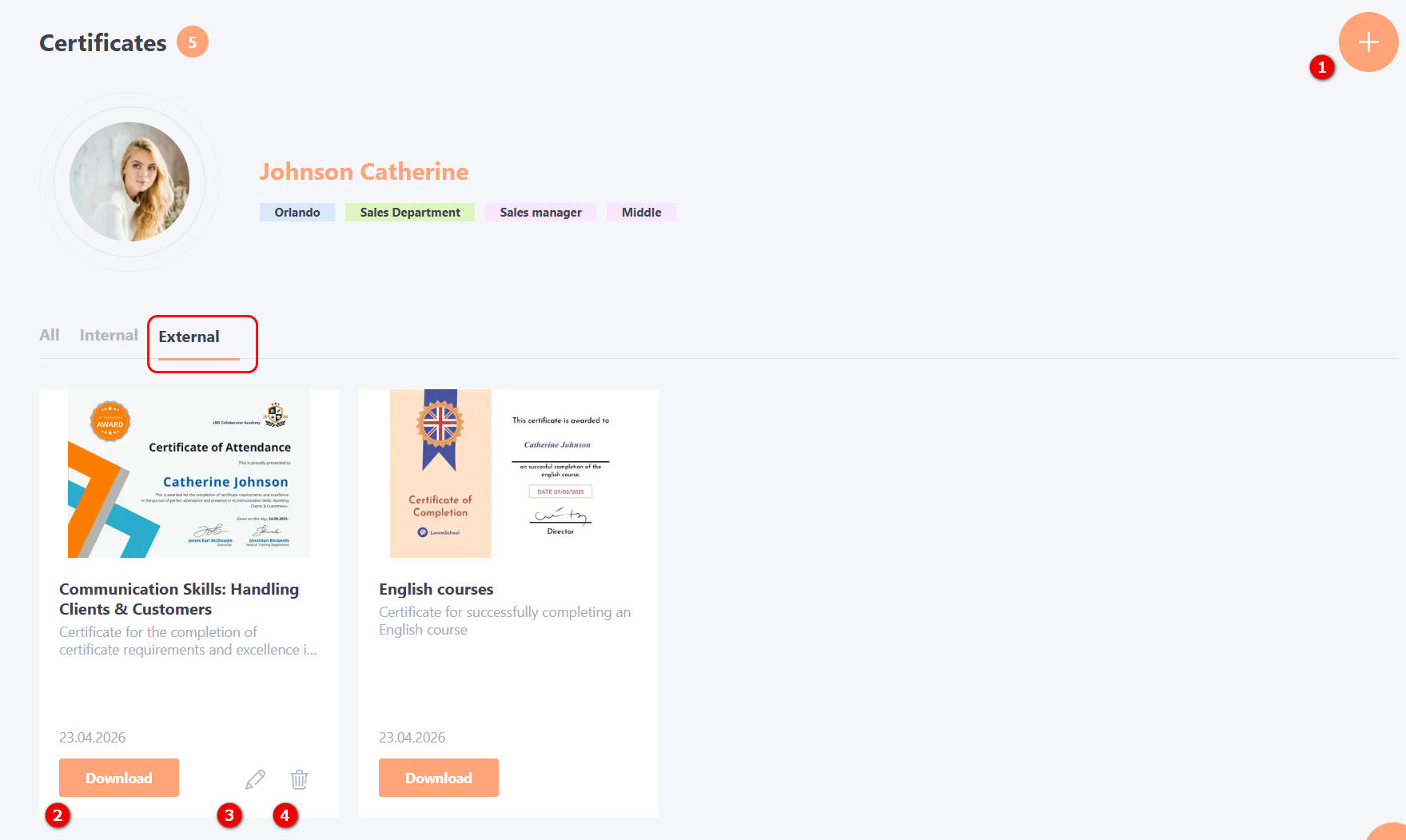
You can also Download (2), Edit (3) or Remove (4) an external certificate.
To view detailed information about the certificate, click on its image. The following data will be displayed in the modal window:

(1) - Title and image of the certificate;
(2) - Training period - start and end dates of the training;
(3) - Number of hours - amount of training time;
(4) - Created - date the certificate was added to the user profile;
(5) - Description of the certificate.
Adding an external certificate
When adding an external certificate to the user profile, you must fill in the following data:
(1) - Certificate Title, required field;
(2) - Certificate description;
(3) - Attached files - upload the certificate.
(4) - Training period - specify the start and end dates of the training;
(5) - Number of hours - specify the amount of training time;
(6) - Cover - upload a picture for the certificate that will be displayed in the user profile.
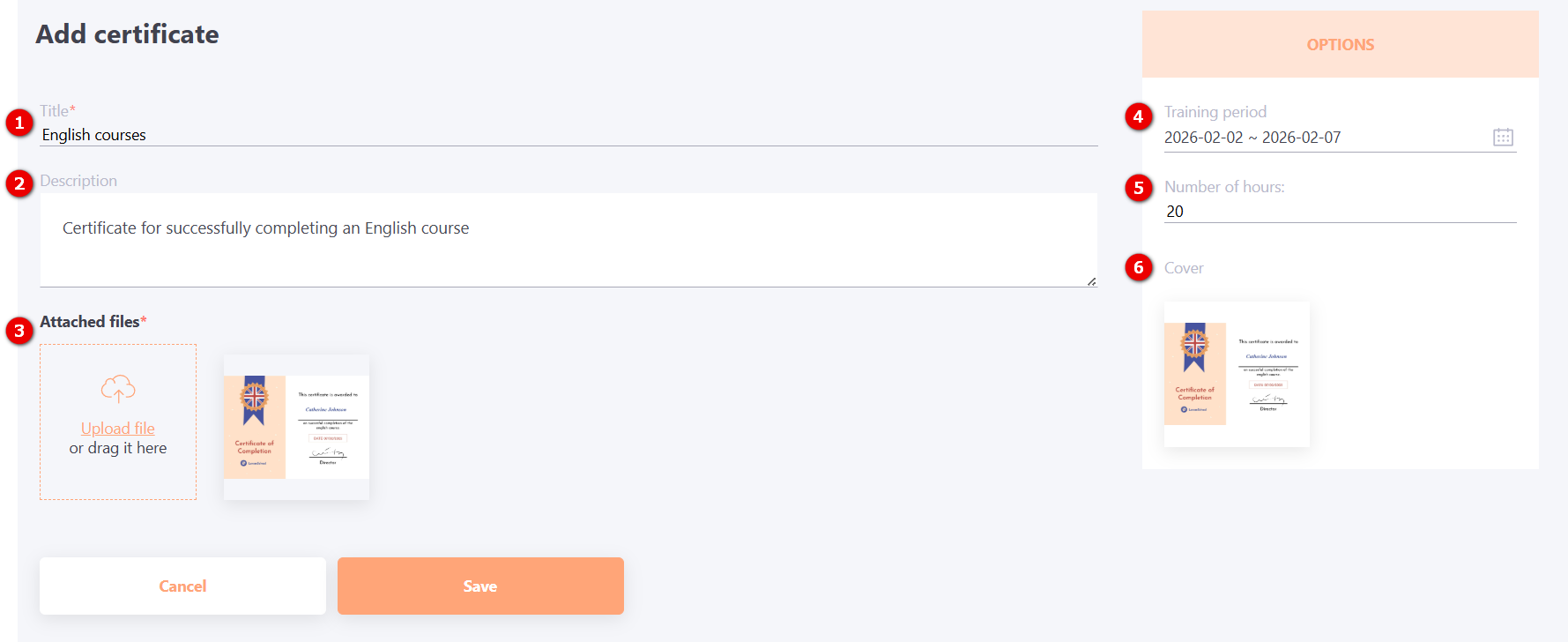
After filling in the required information, click the Save button. The certificate will be added to the user's profile with the date it was uploaded to the system.