Adding internal and external training to the Development plan from career development request
After changing a career development request to the Accepted status, the administrator can add the internal and external training specified by the employee to the Development Plan.
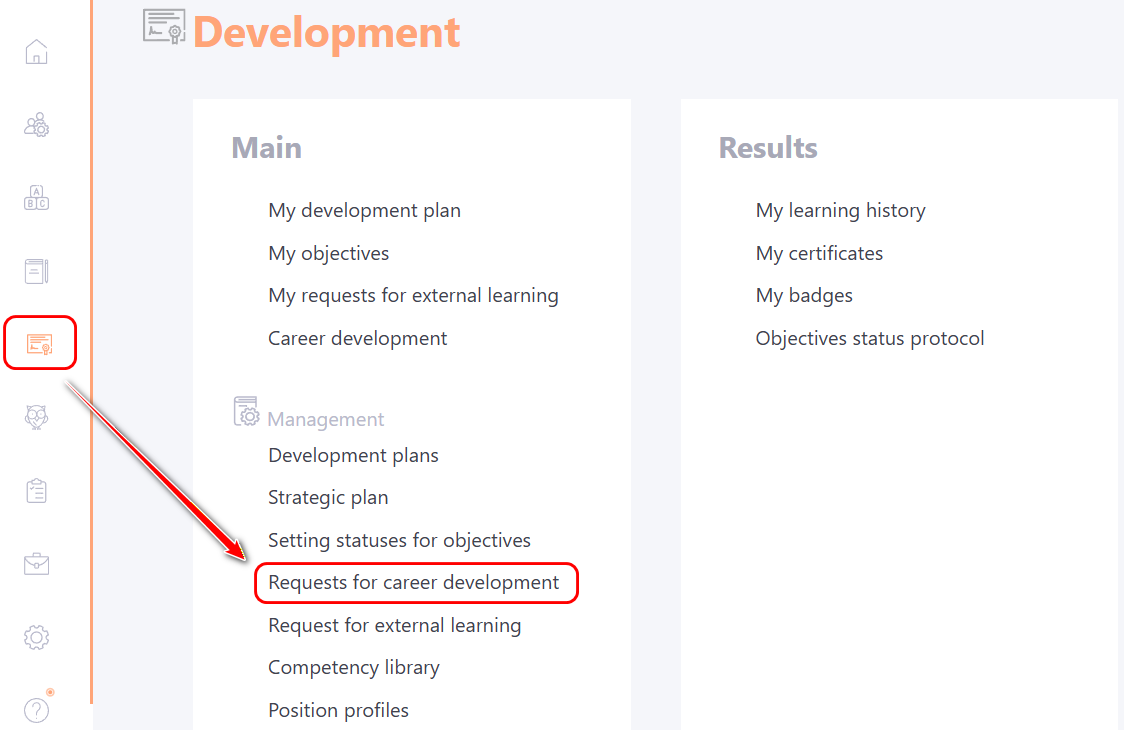
To do this, navigate to the Development - Requests for career development menu:
In the table of requests, select the desired one and check that it is in the Accepted status and click the Review button:
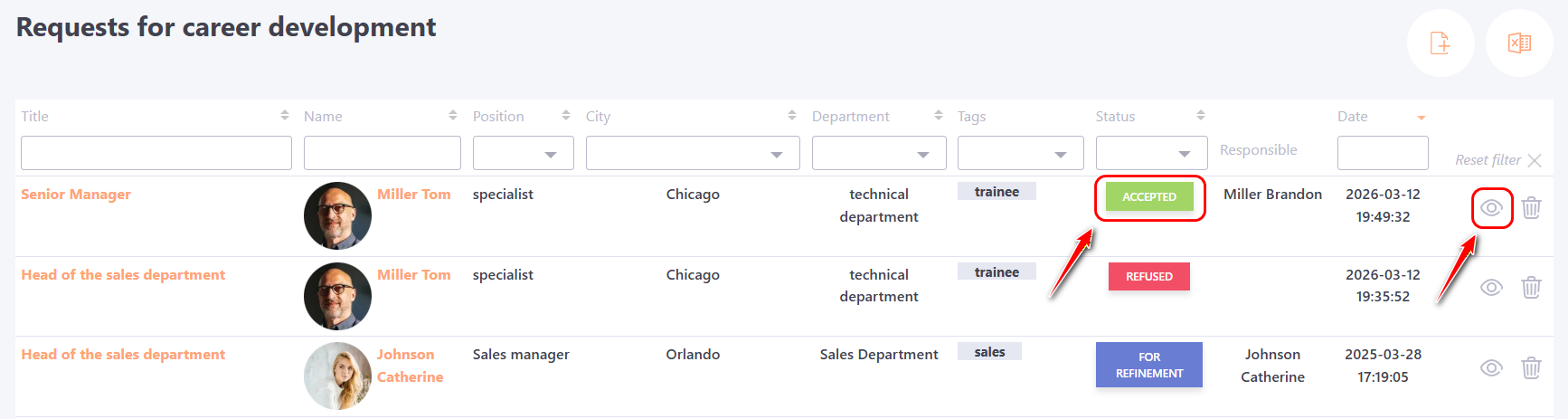
Adding Internal Training to the Development Plan
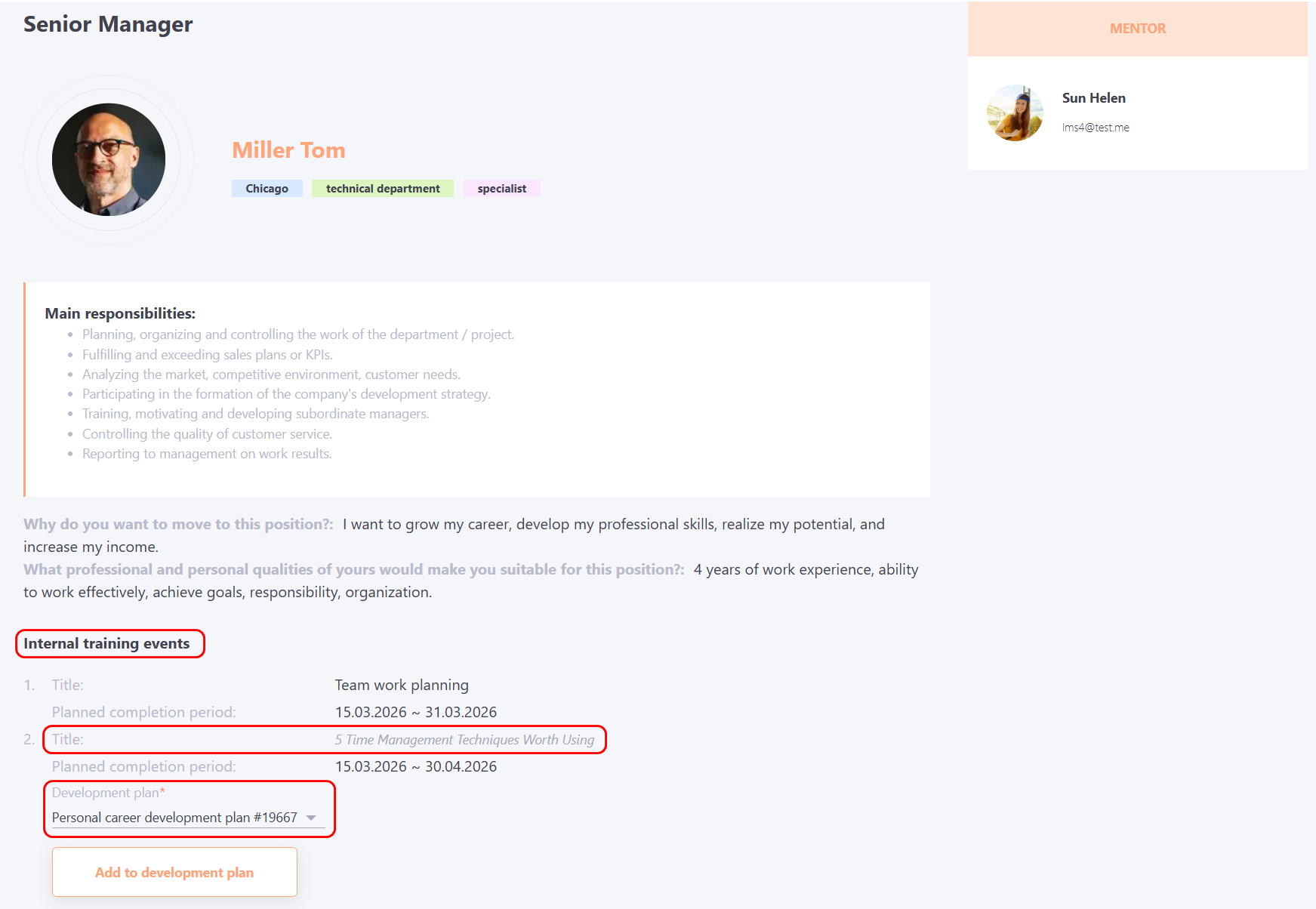
In the Internal training events section, the Title and Planned completion period of the task specified by the employee are displayed. The task title is clickable, allowing the administrator to view the selected training.
To add a task for the user, select the Development plan to which the tasks will be added and click the Add to development plan button:
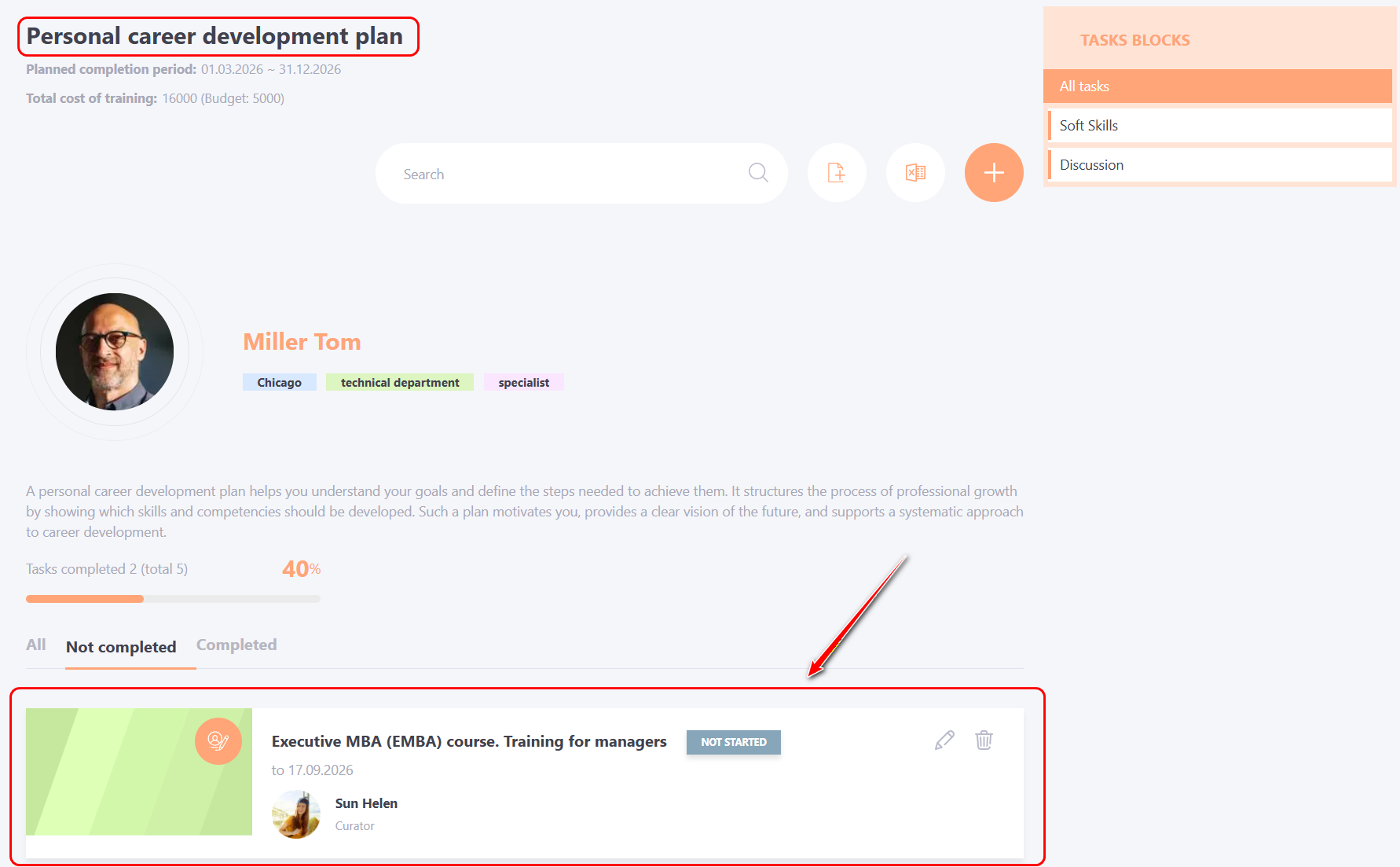
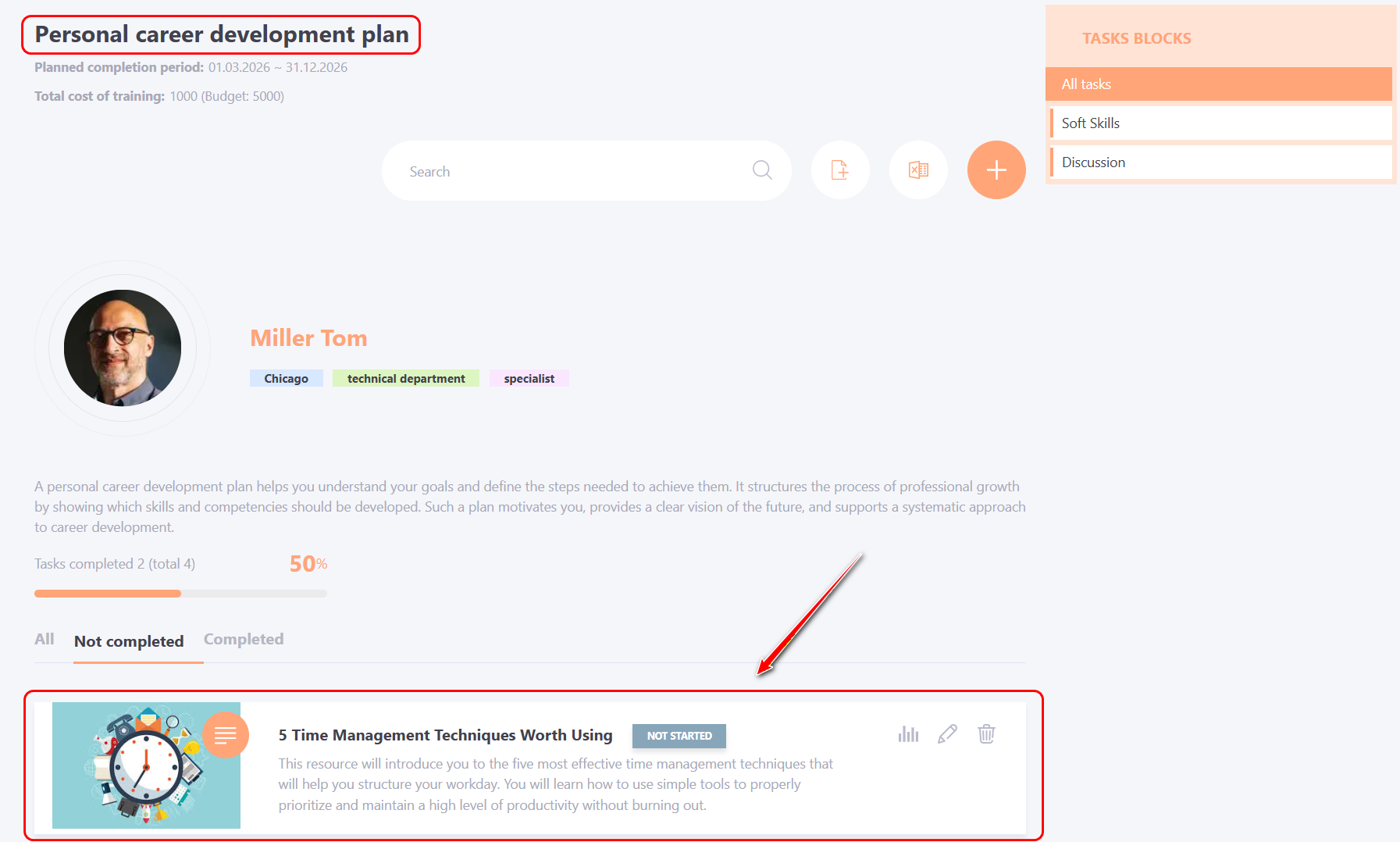
The learning task will be automatically added to the user's Development plan:
Adding External Training to the Development Plan
To add external training to a user, you must select the Development plan to which the tasks will be added and click the Add to development plan button:
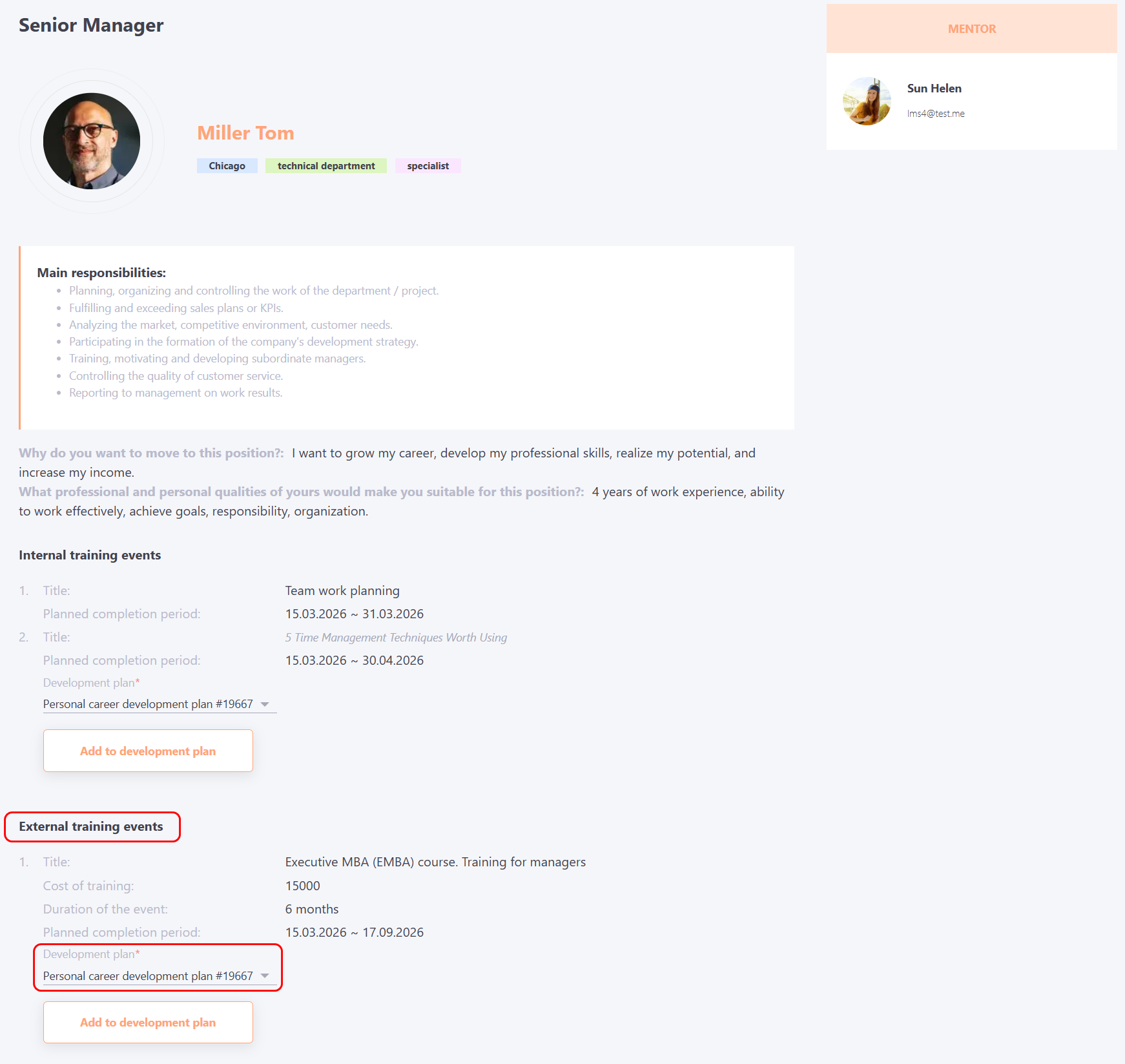
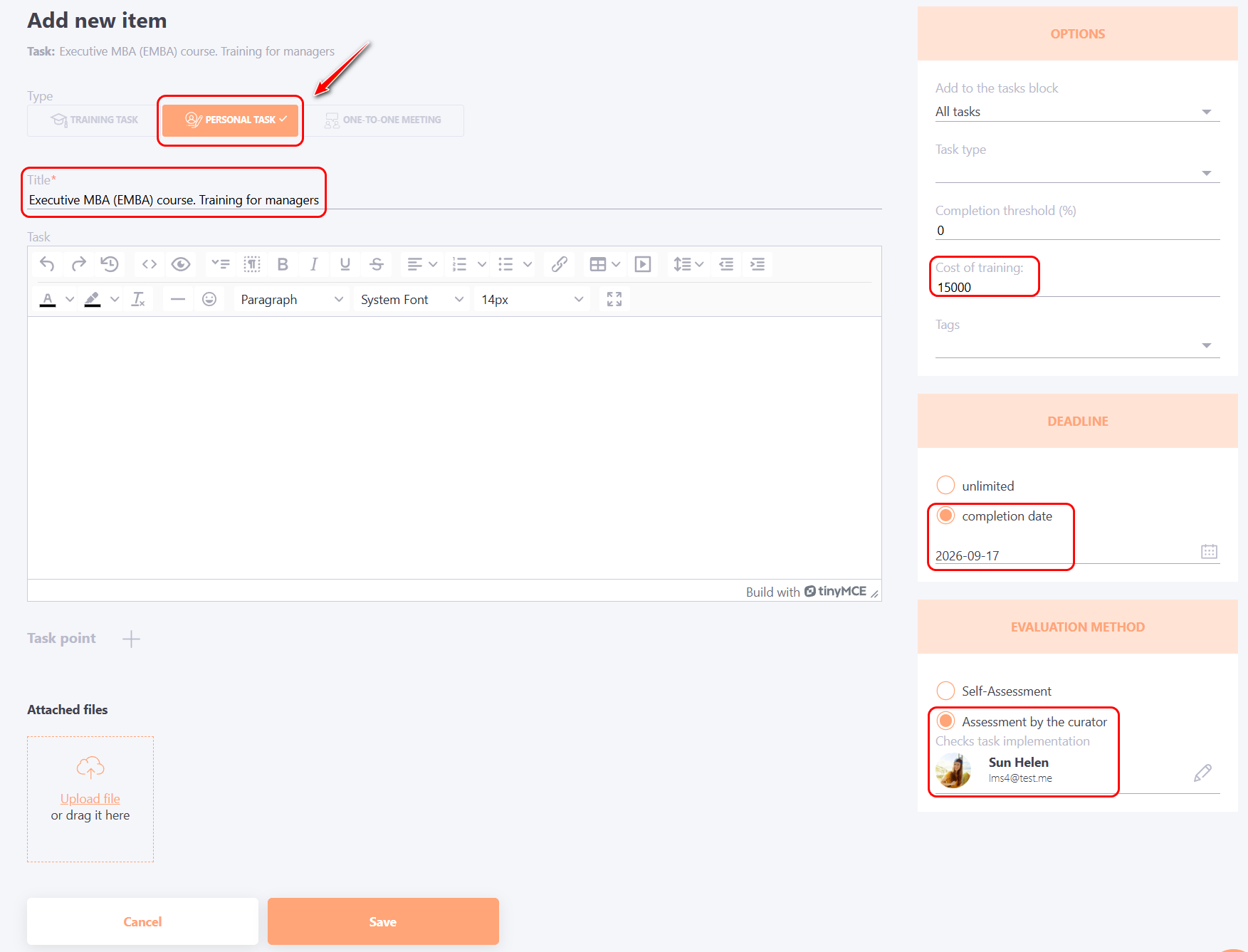
This will open the Add new item to the user’s Development plan page. Make sure the Personal Task tab is selected.
The fields Title, Deadline, Evaluation method and Cost of training will be filled in automatically. If necessary, the administrator can make additional adjustments to the task and click the Save button.
External training will be added to the list of tasks in the user's Development Plan.