
Competency scale
When creating Position profile or conducting Assessment by competencies, there is an ability to evaluate a particular competency according to the created Scale. Thus, it is possible to set the norm level according to the Scale for each of the competencies, as well as to evaluate which level of competence a particular employee corresponds to. All of this data is used for forming the Evaluation Report in Assessment by competencies.
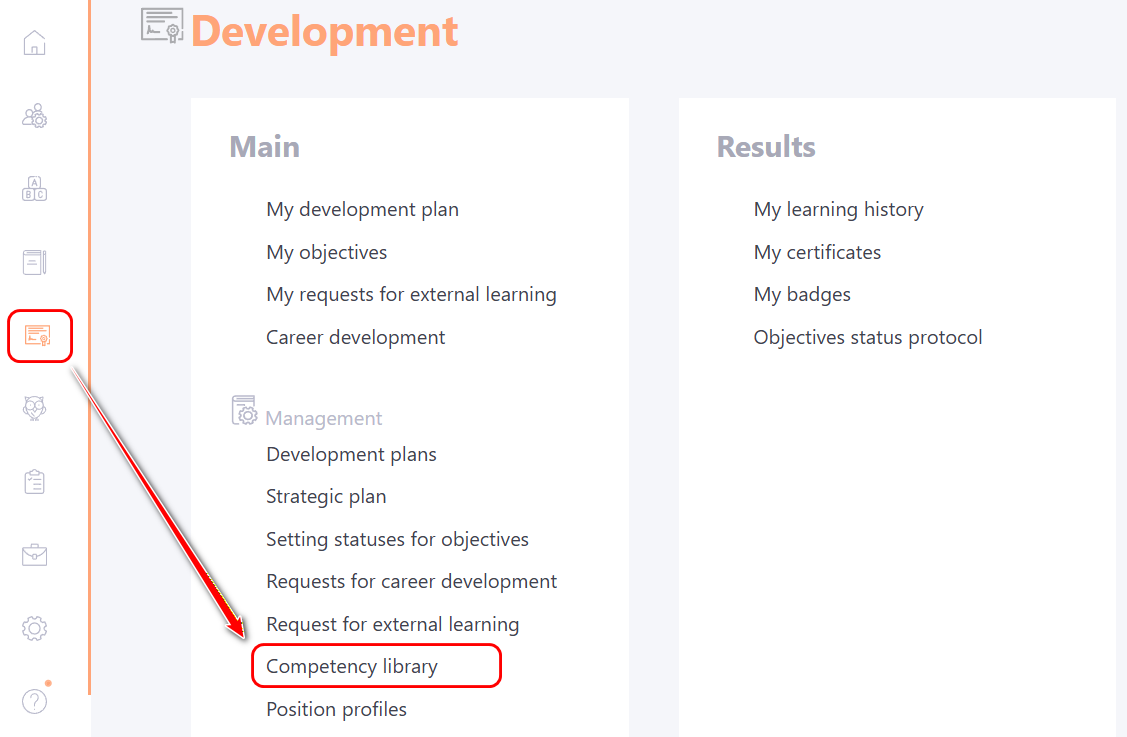
To create a scale, you need to go to the Development - Competency library menu:
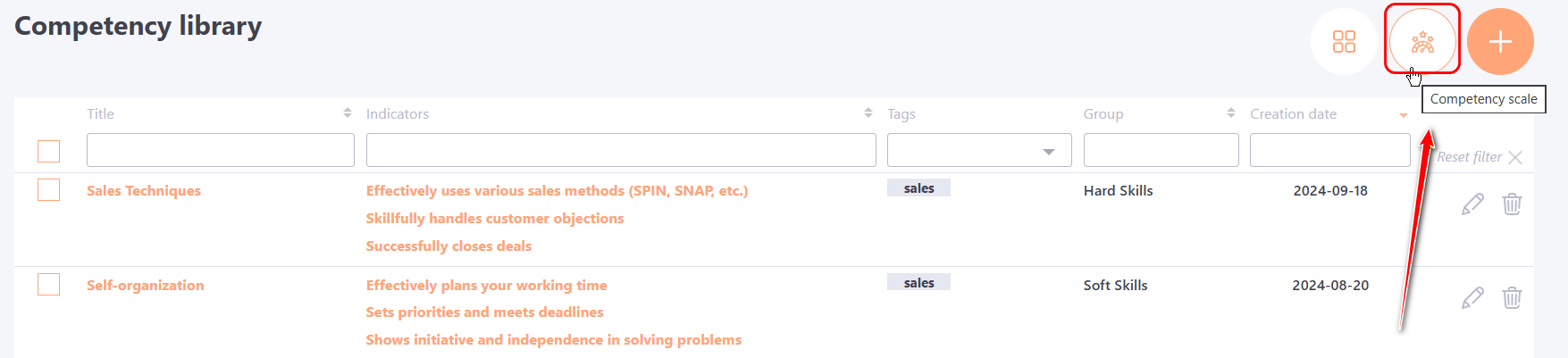
On the Competency library page, click the Competency scale button:
On the Scale editing page the following fields are available for filling in and editing:
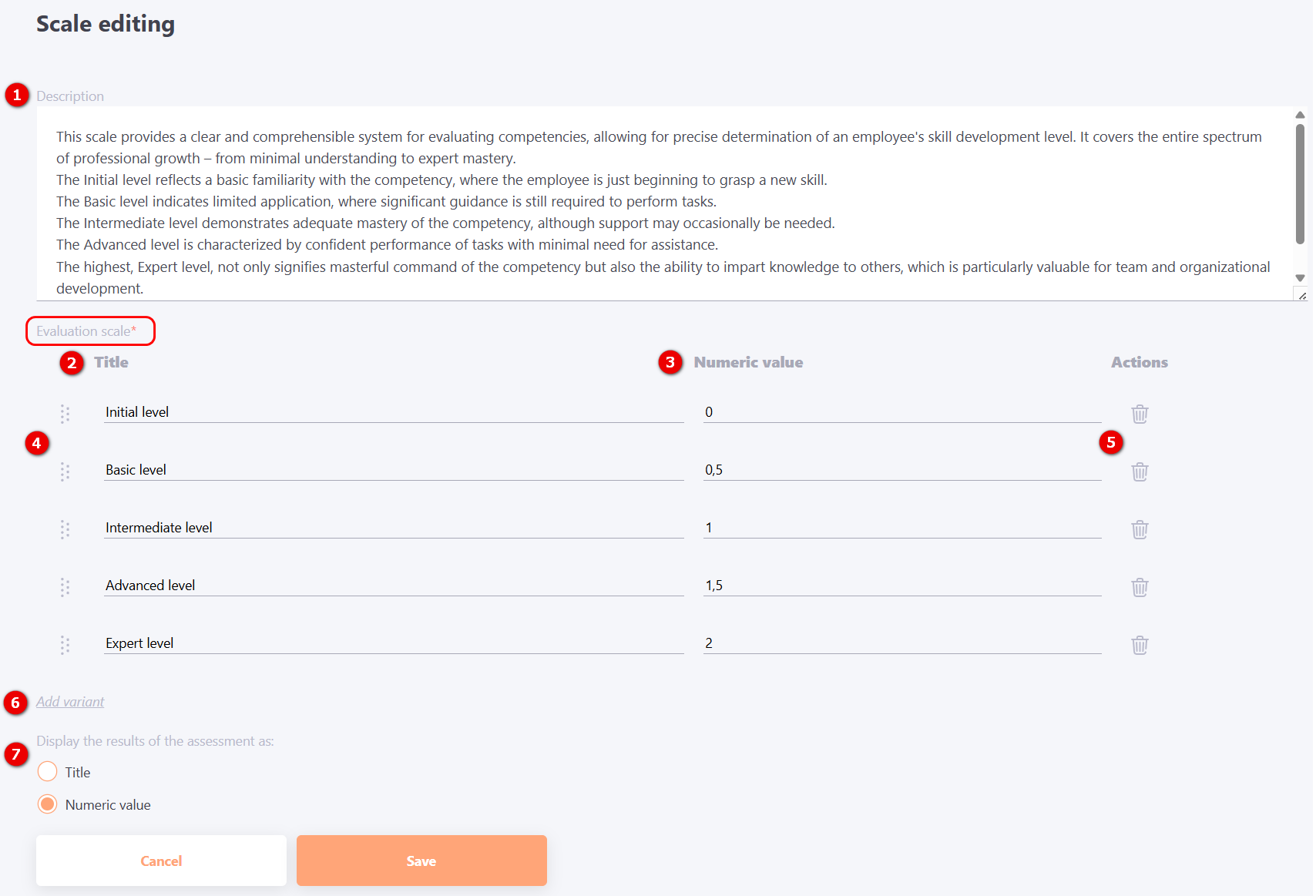
(1) - Description (optional field) - you can add an explanation of how this scale is used to assess the professional development and skills of an employee,
indicate a detailed gradation of levels according to the created scale;
Evaluation scale (mandatory block):
(2) - Title of the rating scale levels.
(3) - Numeric value - you can specify 0, whole numbers or decimal values.
By dragging (4) you can change the order of the levels. To delete a level use Remove (5) button. To add more fields for defining levels, click the Add variant (6) button.
(7) – Display the results of the assessment as – this setting allows you to choose how competency levels will be shown to the user in the Position Profile: by name or by numeric value. See more details: Overview of position profile.
To save the settings, click the Save button.
Competencies Scale is used:
- in Position profiles: when creating or editing a profile, it is necessary to evaluate the level of the norm for each of the competencies. After that, these values will be displayed in the user profile, together with the Competency level graph;
- in Assessment by competencies:
- at the stage of setting the Parameters, you need to select the Position Profile for which the evaluation will be conducted. Then the list of competencies on the right will display the competency levels that will be the norm for this position (they are set when creating a position profile);
- when passing the Assessment by competencies, you need to indicate the employee's level of competence for each competence indicator;
- in Evaluation report (only for Assessments by competencies, which have the final evaluation): the norm of competence and assessments given by self-assessment, employees, colleagues and/or manager are used to determine the overall score and final evaluation.