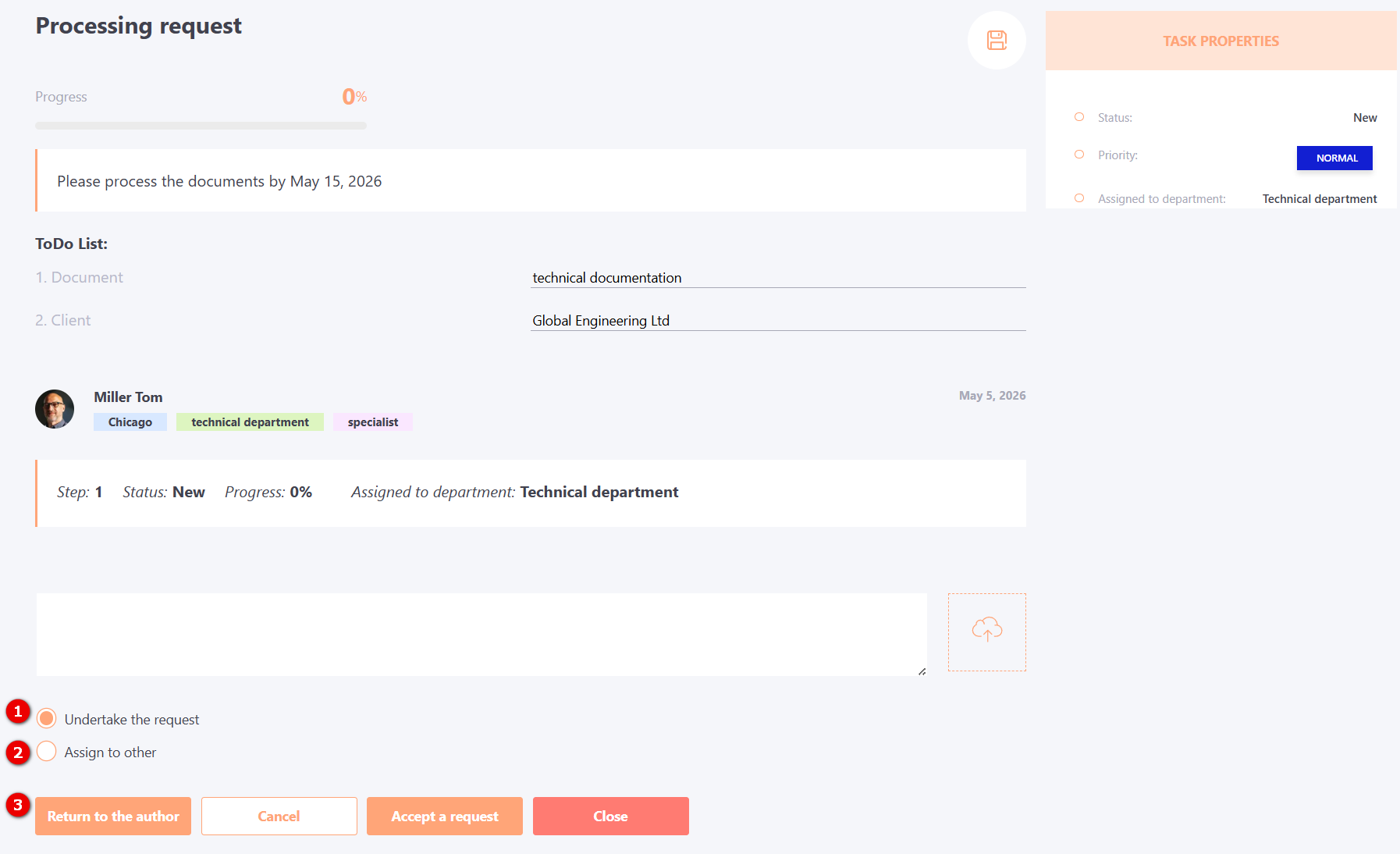
Processing Service Requests
When a user is assigned a request, they receive a notification, and the portal displays a badge with the number of new requests near the Service requests item.
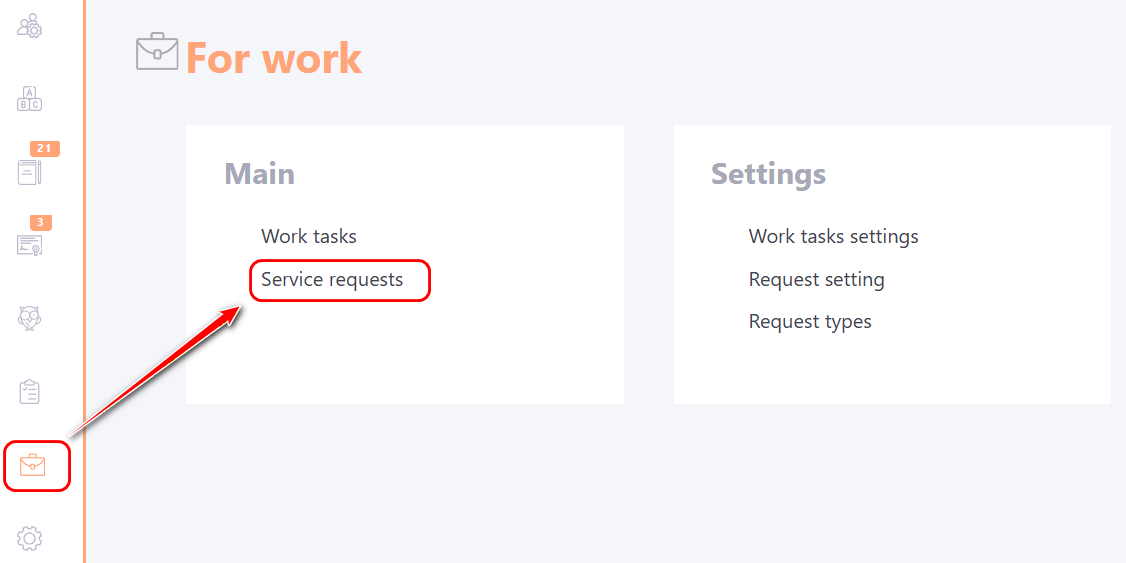
Having opened the table with requests on the Assigned to me (1), select the required request from the list and click on the Review (2) to proceed to its execution.
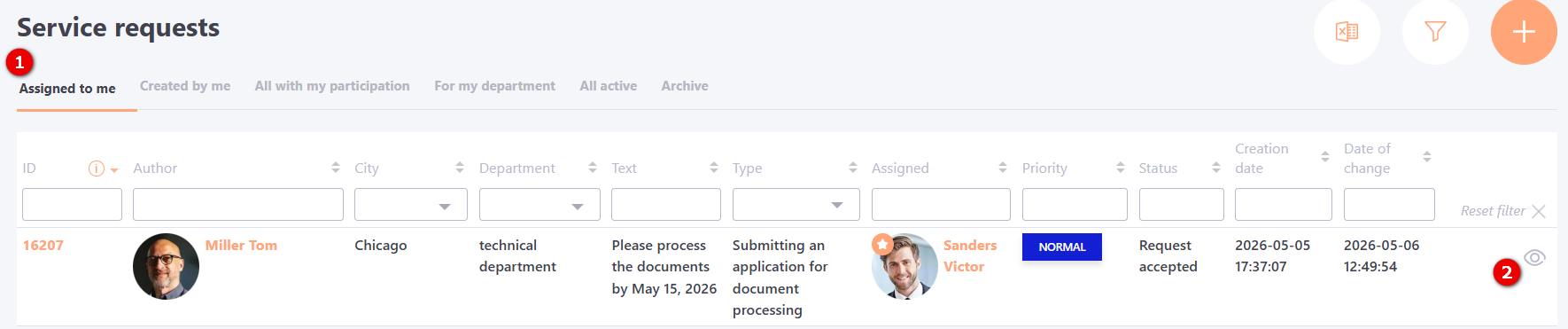
In the window of the request completion the following is displayed:
- (1) - Request description;
- (2) - Name of the user from whom the request was received;
- (3) - Field for commenting;
- (4) - Recipient of the request;
-
(5) - Button for sending comments or sending the request to a new performer, if it has been changed. You can also attach a file to the comment;
-
(6) - Button to close the request;
-
(7) - Priority and executor of the request;
-
(8) - Button to save this request as a template (find more in Types of requests
-
(9) - Button for attaching a file to the request.
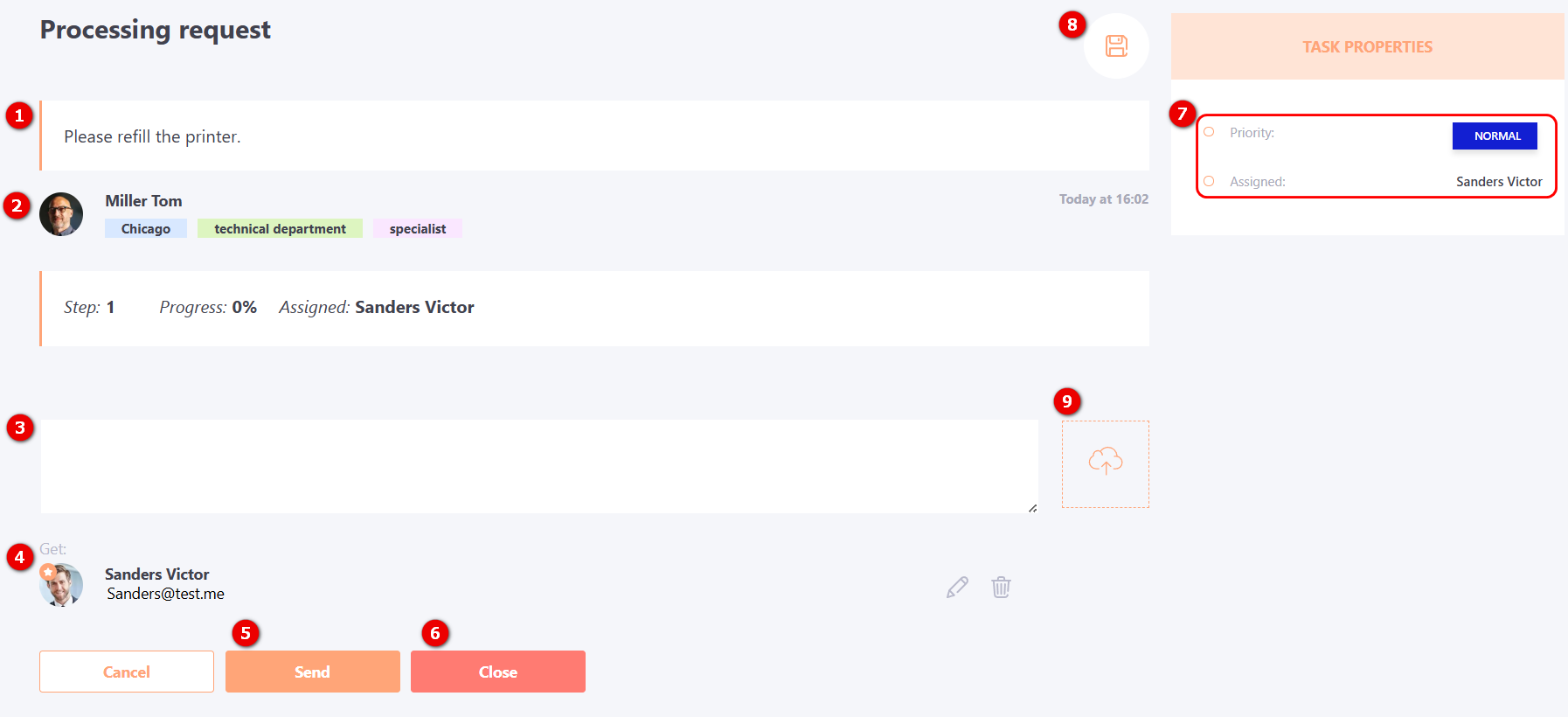
When the request does not provide for a specific performer, the request is assigned to the responsible department, and the head of this department decides who of their subordinates will perform it. If the request was assigned to a department, you can see it in the For my department tab. After opening a request assigned to a department, the same window is displayed as in the case of an individual request, but with a few additions:
- (1) - Undertake the request and become its executor;
- (2) - Assign to other - select a user to execute the request (not necessarily from your department);
- (3) - Return to the author - the button is used if you have questions or need to clarify details with the sender. In this case, you need to leave clarifying questions in the comment field and click the "Return to author" button. After that, the request will be returned to the organizer for clarification. After providing a response, it will be sent back to the department, where it will remain until re-hiring or assigning an executor.