
Development plans table
Access to the IndividualPlan module functionality
Access to admin settings by permission User can manage personal plan
For managers, the permission - Manage the personal plans of their subordinates should be included
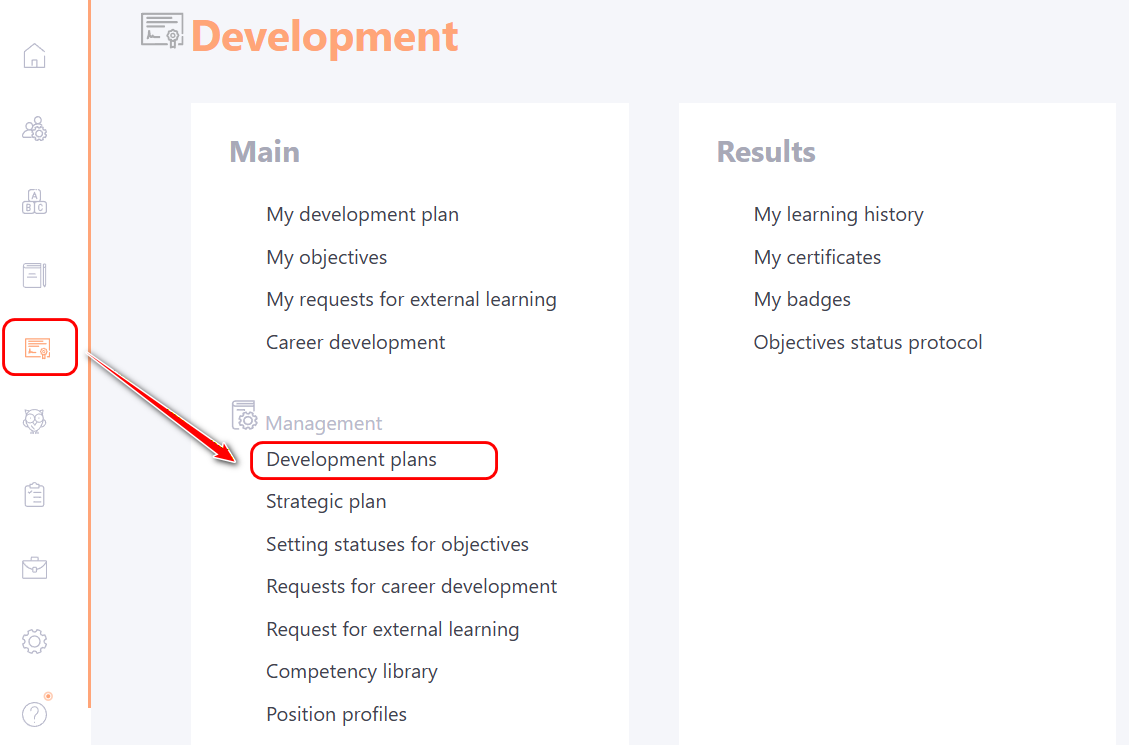
The table with a list of user Development Plans is opened through the Development - Development Plans menu:
On the Development Plans page, a table with a list of all active users is displayed. Users can be searched and sorted by their attributes (1).
Using the Number of Tasks filter (2), you can see how many tasks have already been assigned in the Development Plan for each user in the system. In addition to filtering, sorting users by the number of assigned tasks is also available.
Examples of rules for filtering by the Number of Tasks field (2):
- -10 – all values equal to 10;
-
= 10 – all values greater than or equal to 10;
- <= 10 – all values less than or equal to 10;
- 10–100 – all values from 10 to 100 inclusive.
To view user development plans, click the button Development Plan (3).
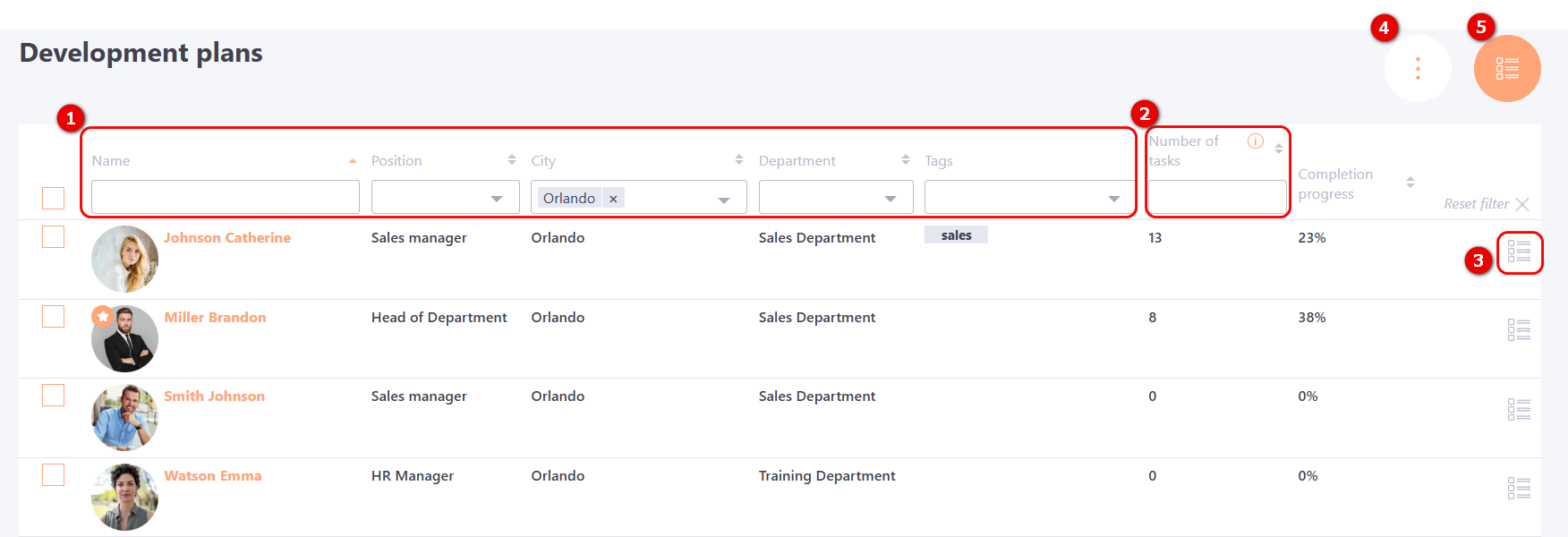
By pressing Actions button (4) you can access the following settings:
You can go to the settings Task sets for development plans by pressing the button (5).