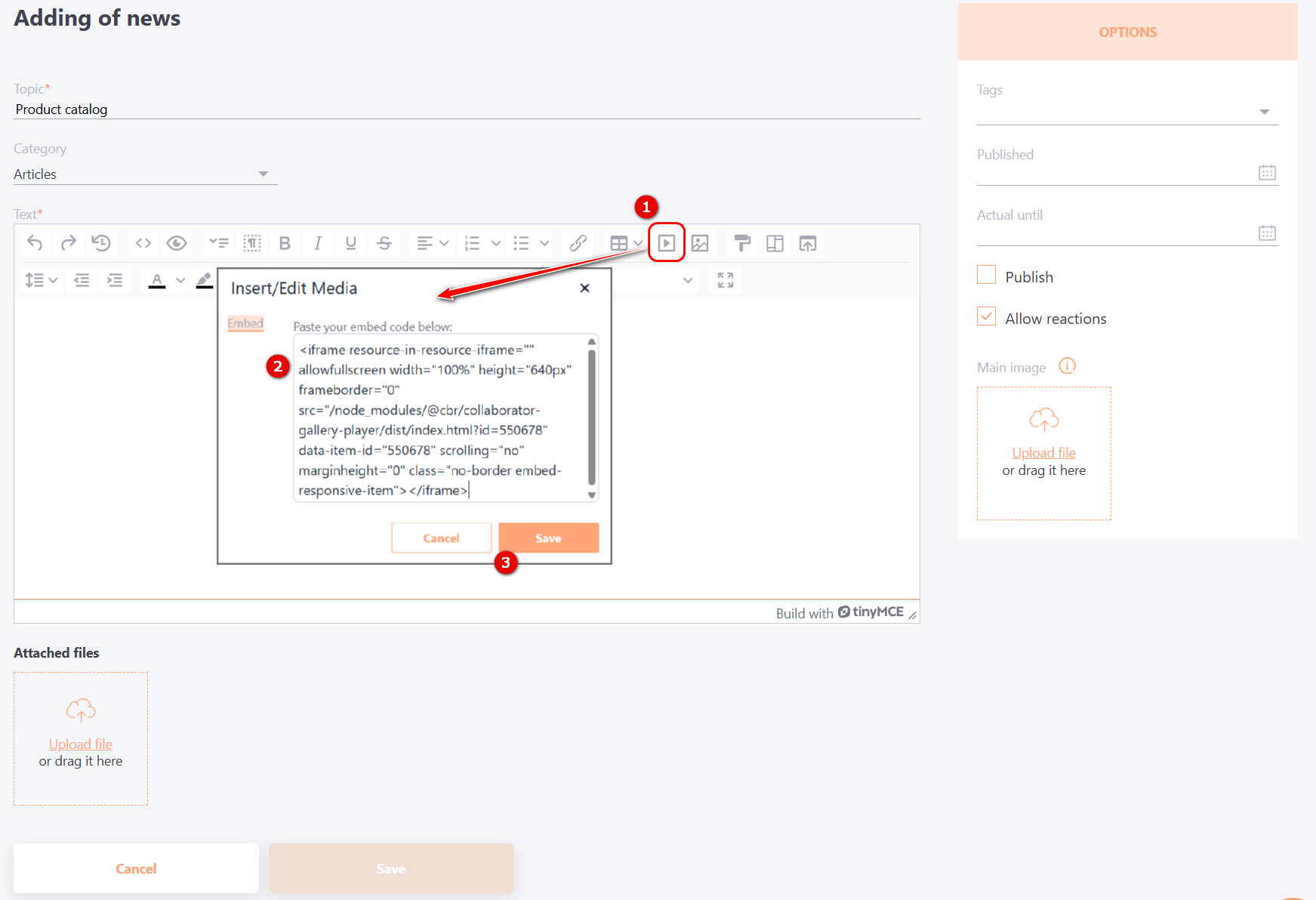
Insert resource with embed code
The Insert resource into resource tool can be used only for resources of the Page type. To insert a resource into an information box on the home page, notices, or news on a portal, you need to use the Insert resource by code tool.
To do it, just copy the Embed Code of the resource and paste it into the page you need.
Resource Embed Code can only be copied for resources of the Video, Audio, Gallery, or HTML site type.
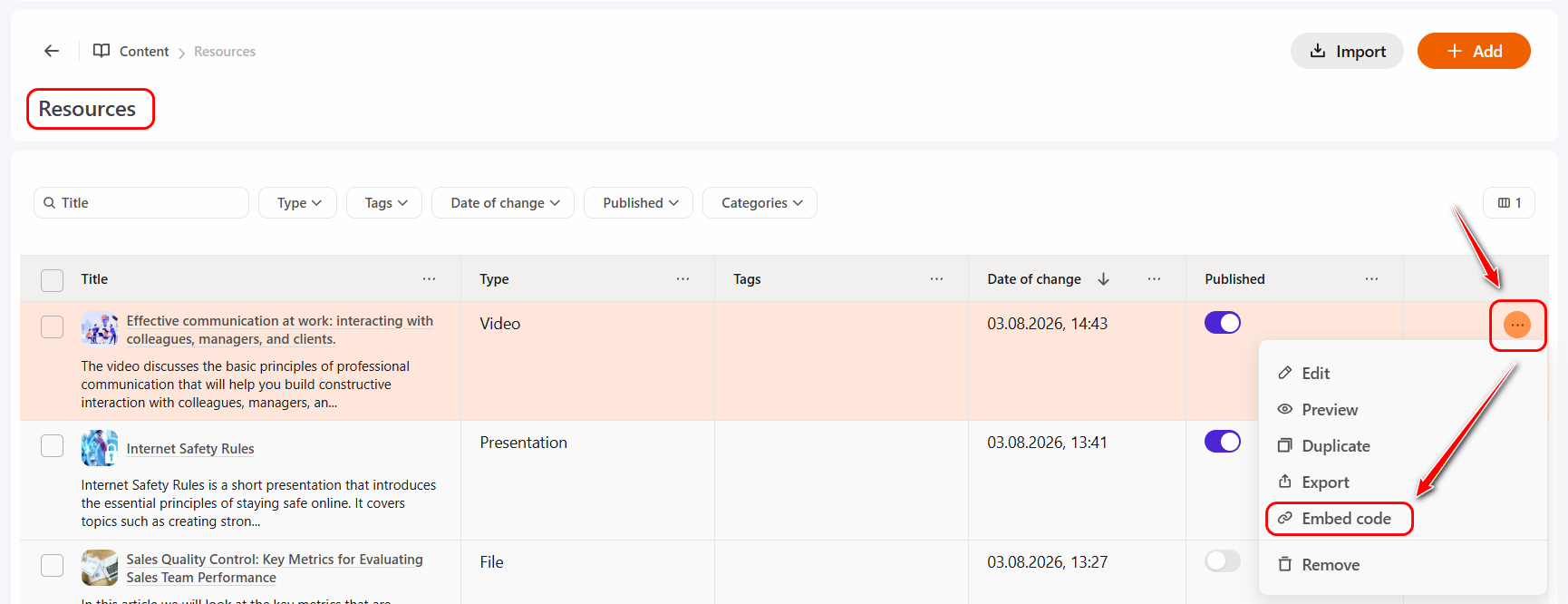
You can copy the embed code in the following ways:
1.In the resource table, next to the desired video resource, click the Actions button and select Embed code:
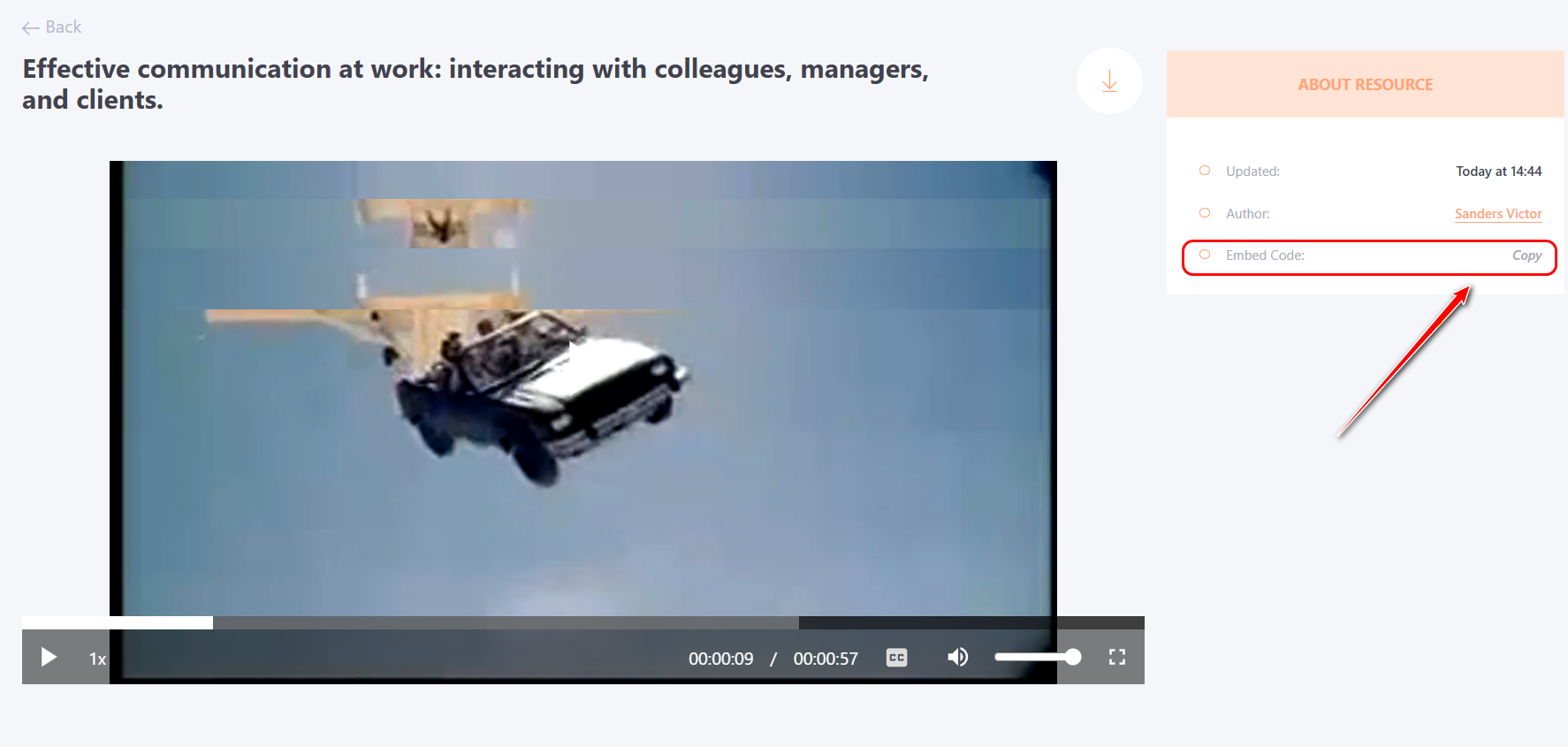
- When viewing a video resource in the About resource block:
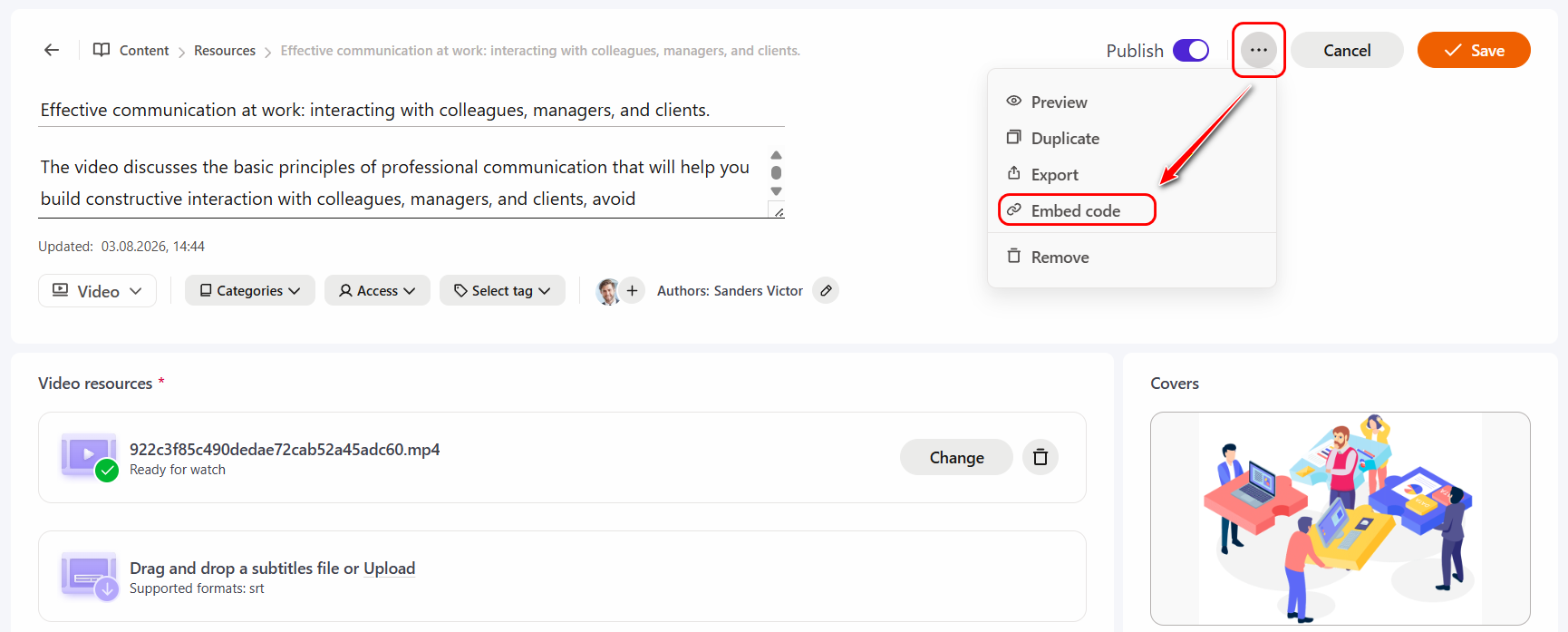
- When editing a resource, when clicking the Actions button, select Embed code:
For example, on the Add News page, you need to click the Insert/Edit Media(1) button on the editor toolbar, paste the copied code into the field (2), and click the Save (3) button.