Setting the order of questions in quizzes
In LMS Collaborator, quiz questions are randomized during the attempt. But there are quizzes in which the questions have a logical order. These are, for example, quizzes on working out dialogs with customers or quizzes with a sequence of actions, when each question is a certain algorithm of actions. The questions of such quizzes are important to pass in a clearly defined order.
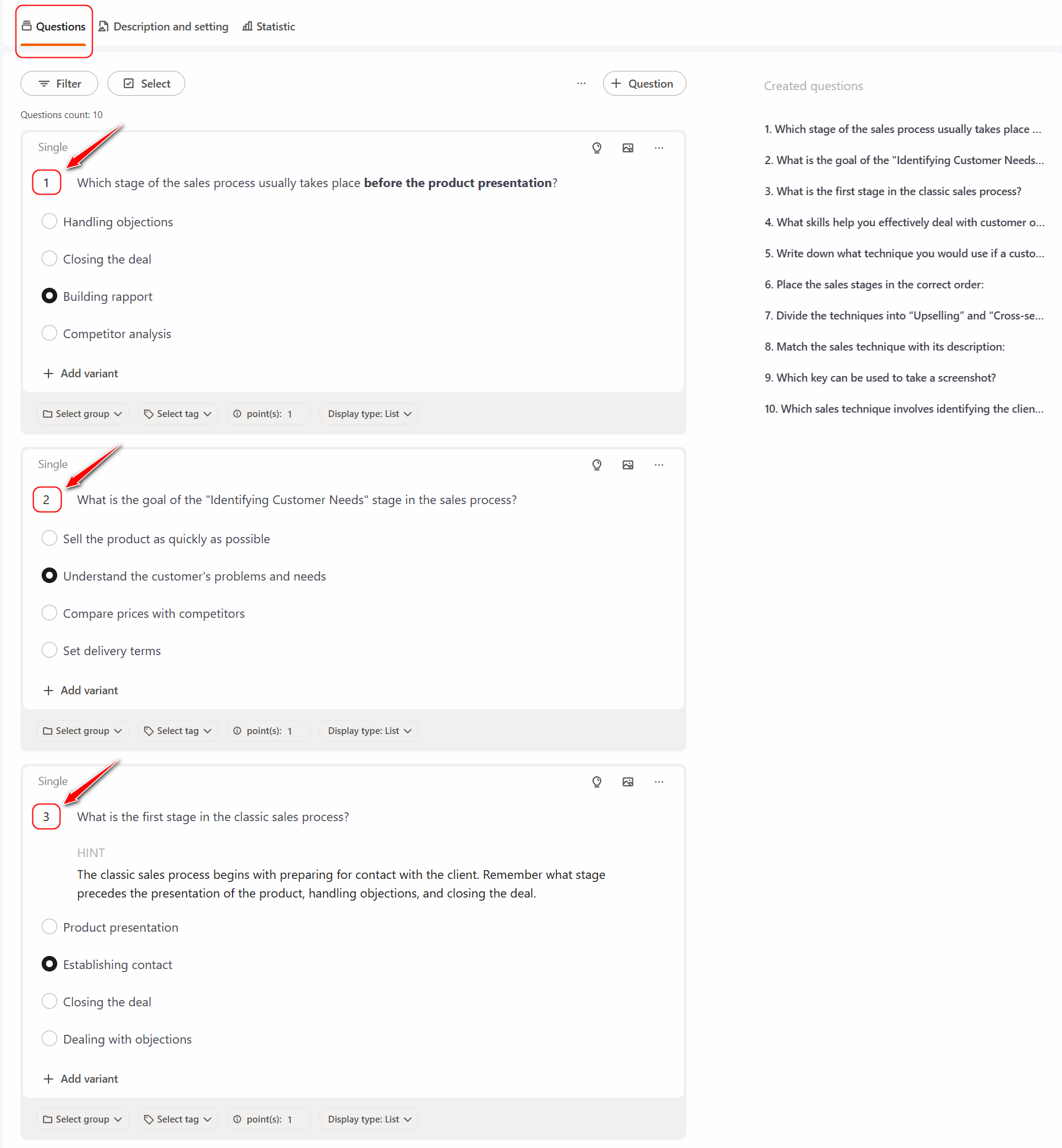
Each question is given a specific sequence number. By default, numbers are assigned automatically according to the sequence of the added question. If the question was added first - it will be under the number 1, if the second - under the number 2, etc.
If necessary, you can change the numeration of the questions and set a new order. This can be done on the quiz editing page in two ways:
- Change the question’s sequence number — the numbering of the other questions will be updated automatically:
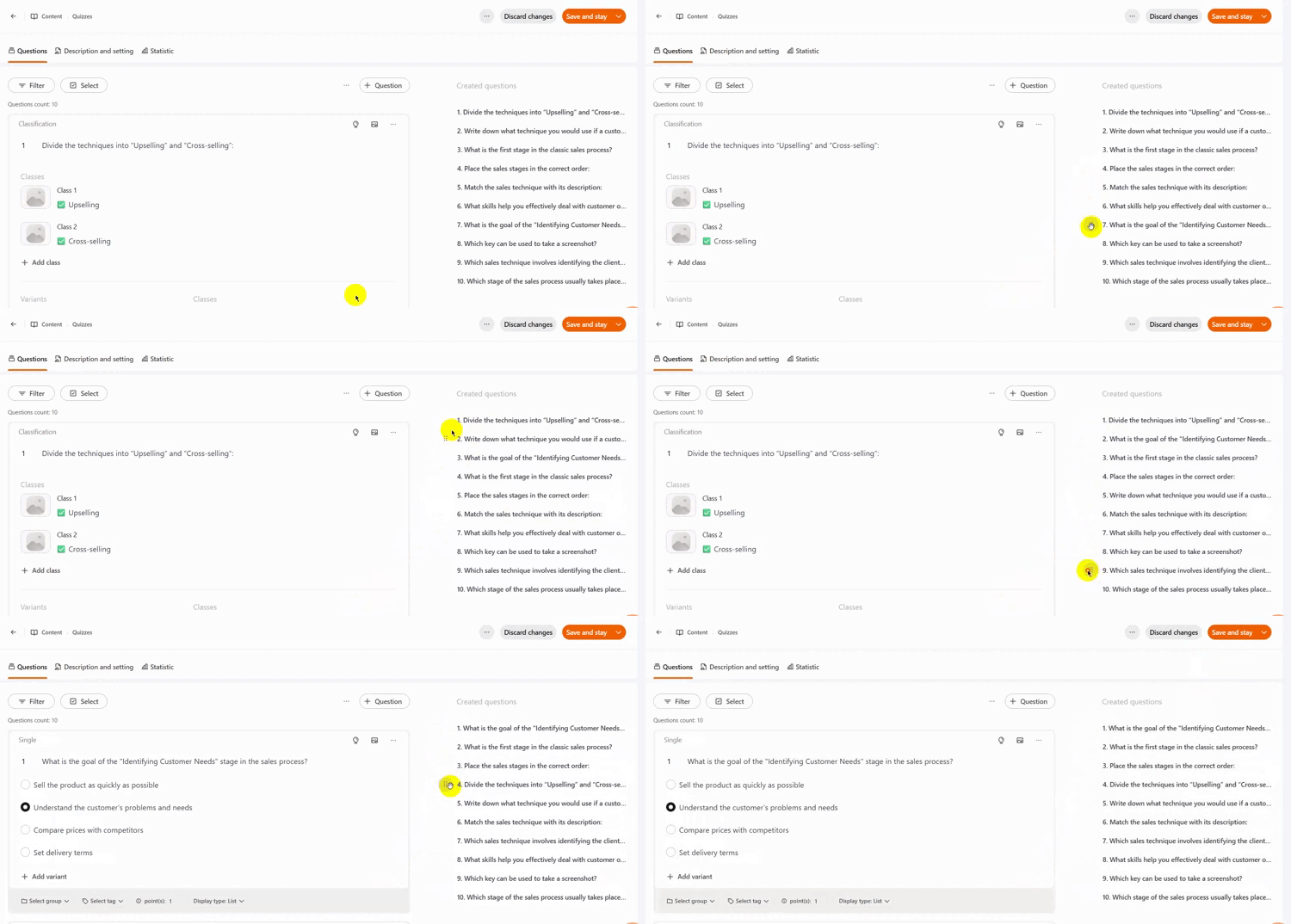
- By dragging — to change the order of questions in the Created Questions list, hover the cursor to the left of the sequence number and drag the question using the button that appears; the numbering of the remaining questions will be updated automatically:
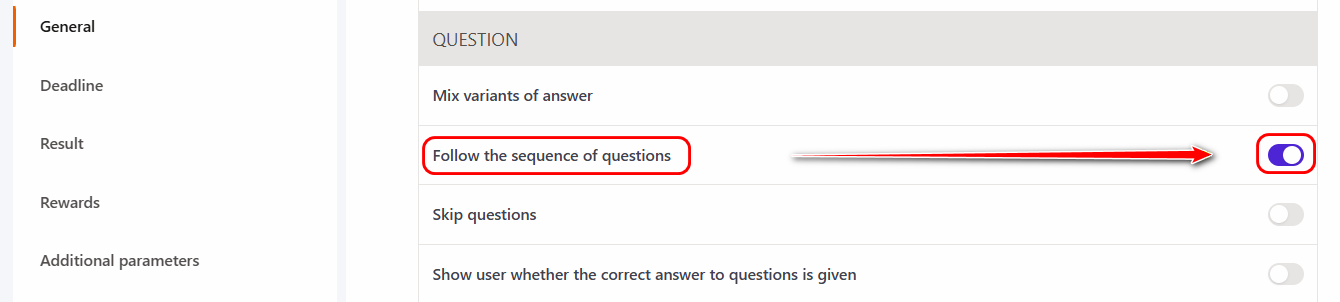
To ensure that users see the questions in the order you specified during the quiz attempt, go to the Create/Edit Tasks – quizzes page and enable the "Follow the sequence of questions" option in the Settings block. More details in Creating tasks-quizzes - Settings Block.