Groups for quiz questions
Questions in a quiz can be organized into groups. Each quiz has its own separate list of groups.
You can add a group to a question when Creating/Editing a question.
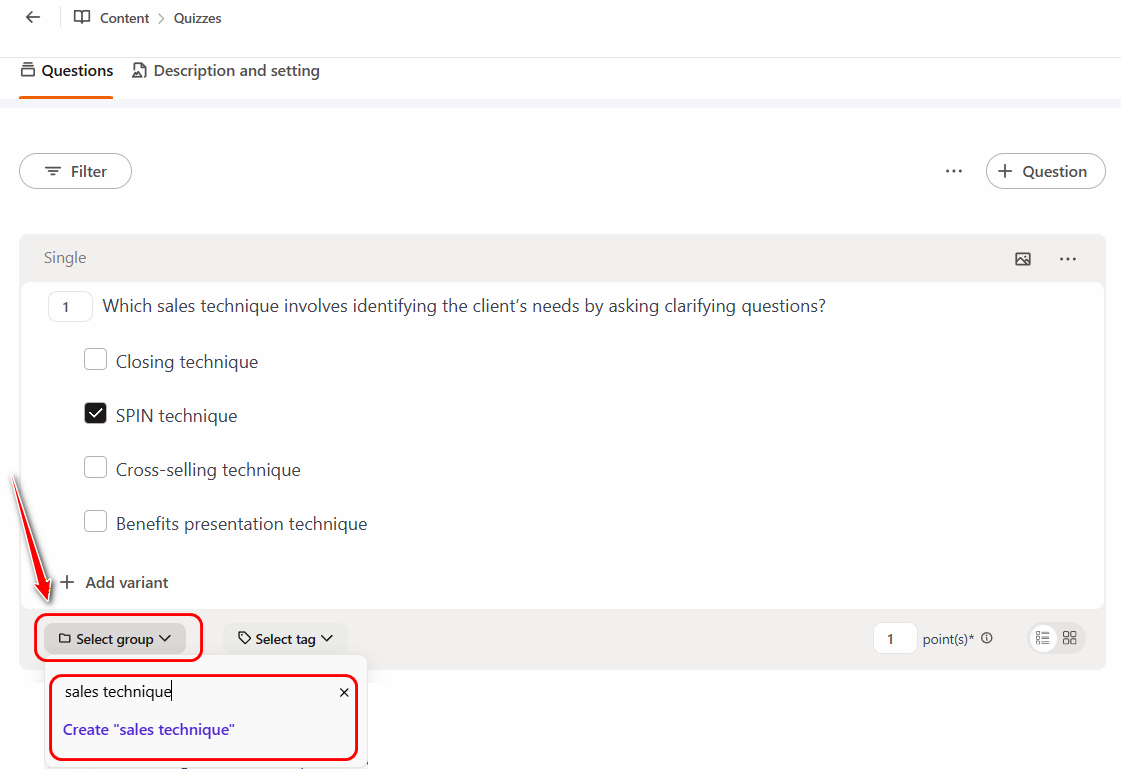
To create a new group, click the Select group button, enter the group name, and click Create.
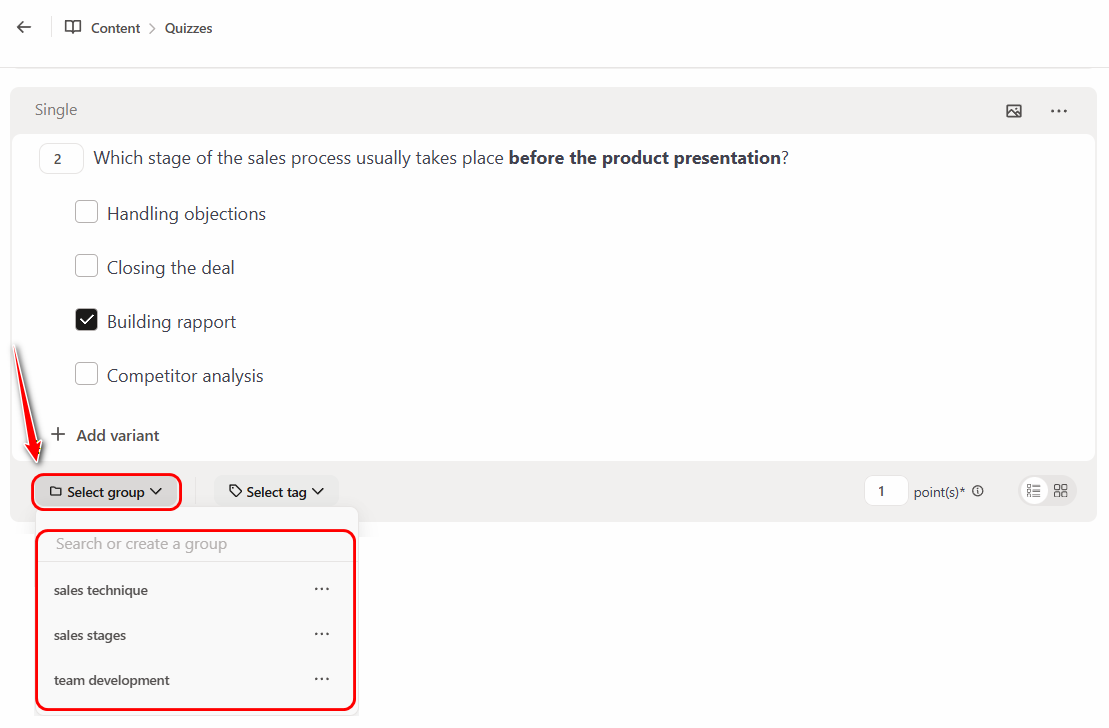
For the remaining questions that need to be added to the created group, simply select its name from the drop-down list in the Select group field.
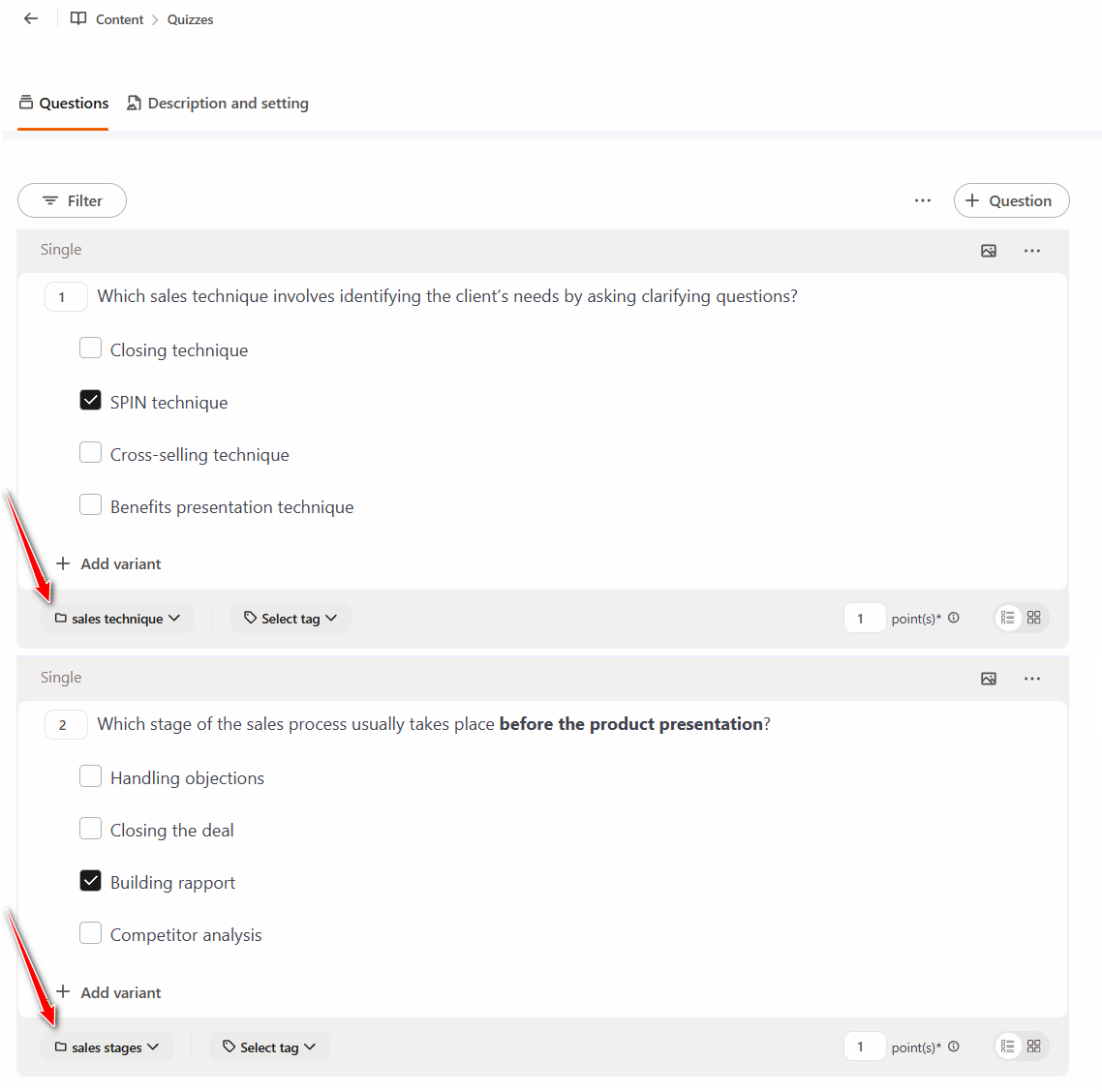
The specified question groups are displayed at the bottom of each question:
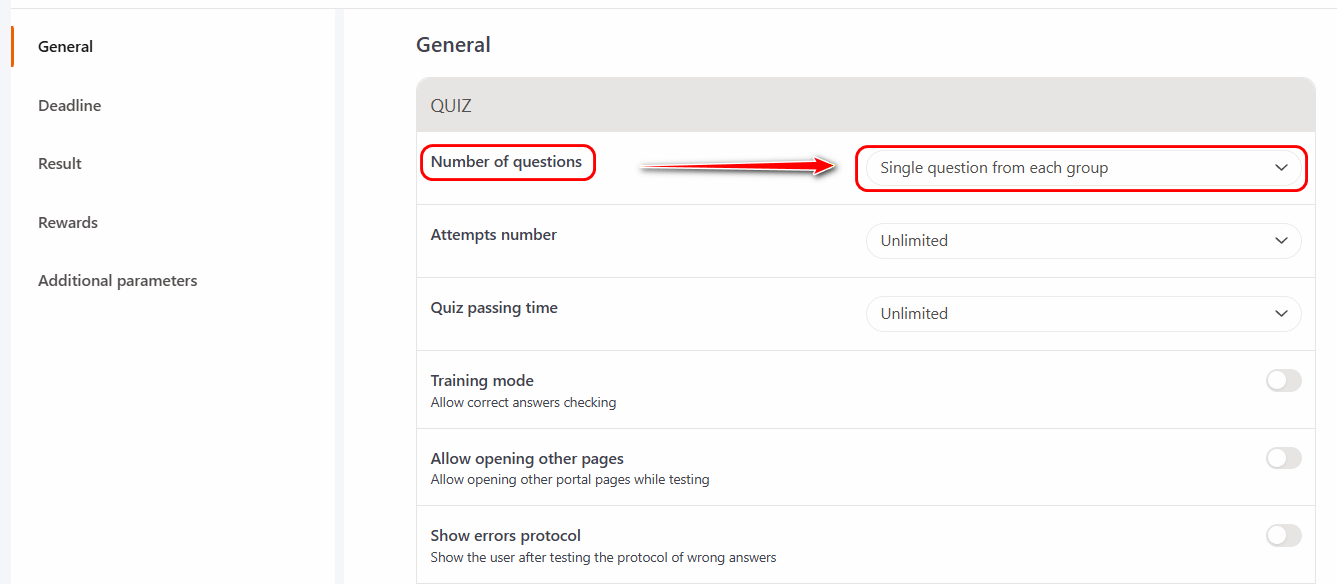
When creating a Task using a quiz (more details Creating tasks-quizzes), you can limit the number of questions in the quiz relative to the previously specified groups. The quiz sample will get one random question from each group. The sample of questions will be different for different users. The setting automatically determines how many groups there are in the quiz and, accordingly, as many questions will be asked.