
My development plans
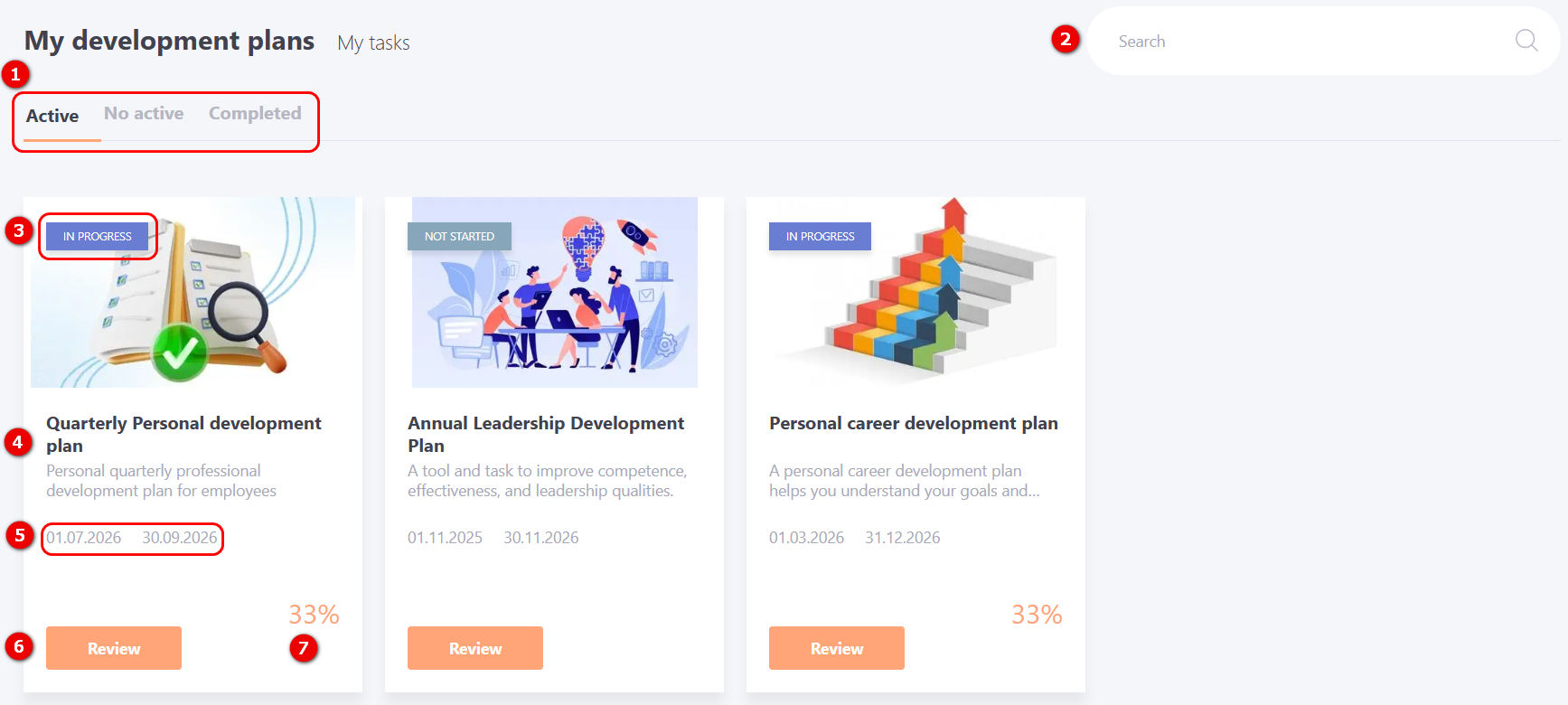
On the My Development Plans page, the user can view, go through Development Plans, create and assign tasks to them. All Personal and Global development plans that have been assigned to the user are displayed here.
The page has a filter on the "Active, No active, Completed" tabs (1) to display development plans according to their status. A search by plan name (2) is also available.
The following information is displayed on the card of each development plan:
(3) - execution status of Development plan;
(4) - title and description of Development plan;
(5) - planned plan completion period.
(6) - Review - button to go to the page of a specific Development Plan
(7) - Development plan completion percentage.
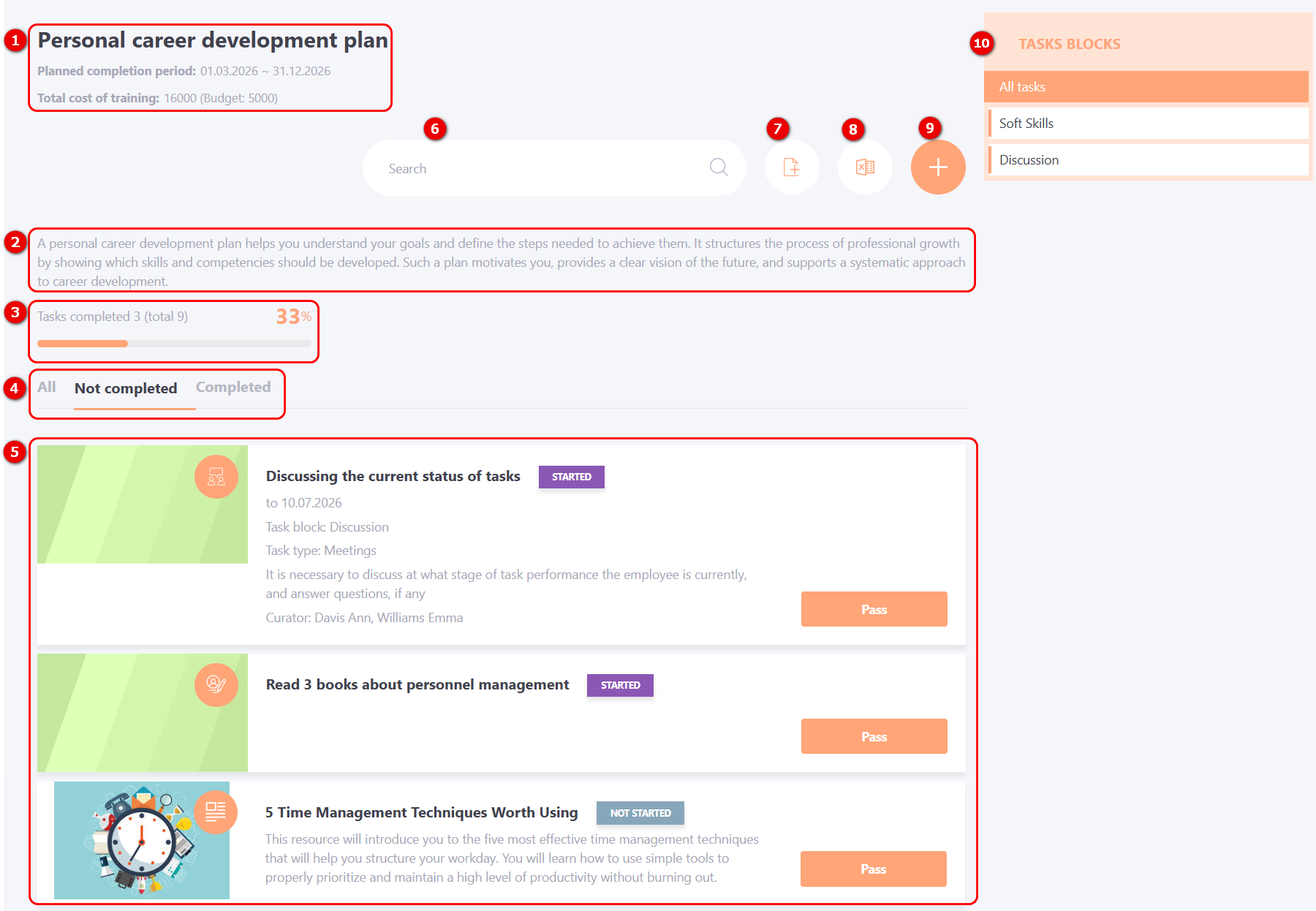
The user's Development Plan page displays:
(1) - title of Development Plan, planned completion period and Total cost of training;
(2) - Development Plan description;
(3) - task completion progress;
(4) - task filter by tabs: All, Not completed, Completed;
(5) - list of tasks in the Development Plan;
(6) - search by task title in the Development Plan;
(7) - adding tasks from the Set, if such an option was enabled by the Administrator (for more details: Assignment of a Task Set to the Development Plan by the User)
(8) - export an .xlsx report to Excel;
(9) - adding Personal task or One-to-one meeting by the user;
(10) - filtering by task blocks. Task blocks are created by the Administrator (for more details: Tasks Blocks).
To proceed to completing the task you need to click on the Pass button. The completion process is described in the article Passing Development Plans.
The process of adding a task to the Development Plan from the Catalog of tasks is described in the article Adding training tasks for Personal plans.