Statuses for objectives
Users with permission to Manage Strategic Plans are granted access to MBO management, as well as to objective status settings.
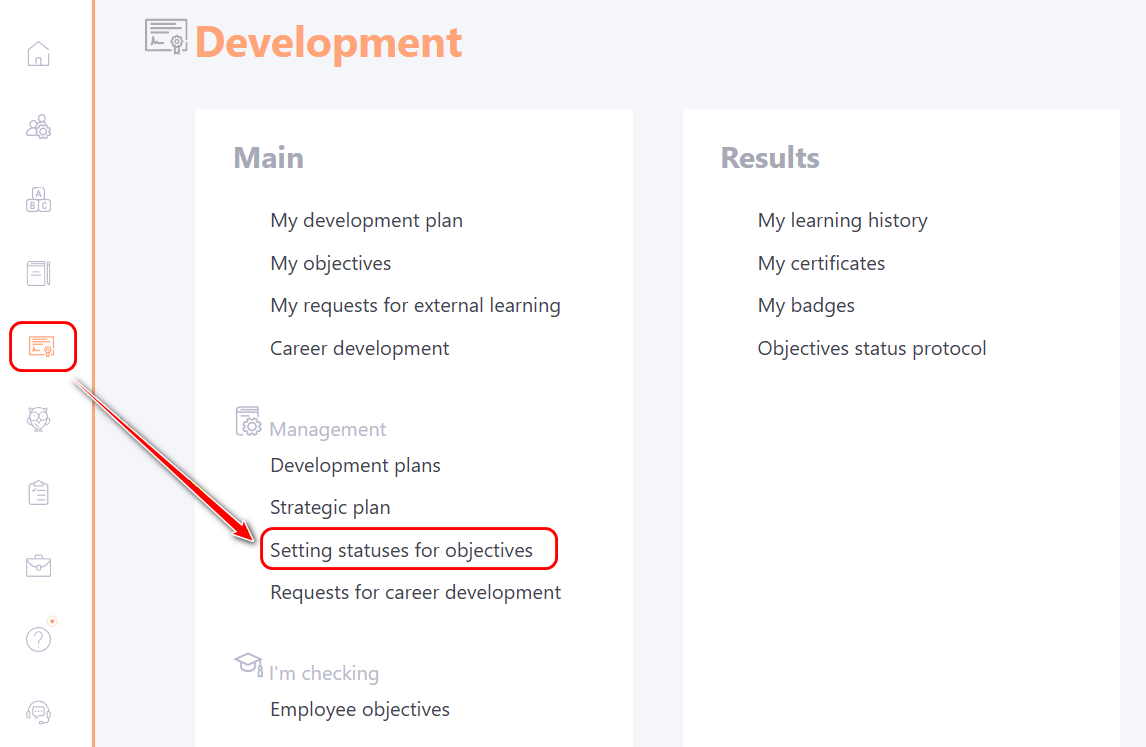
Creating statuses for objectives is available in the menu: Development - Setting statuses for objectives.
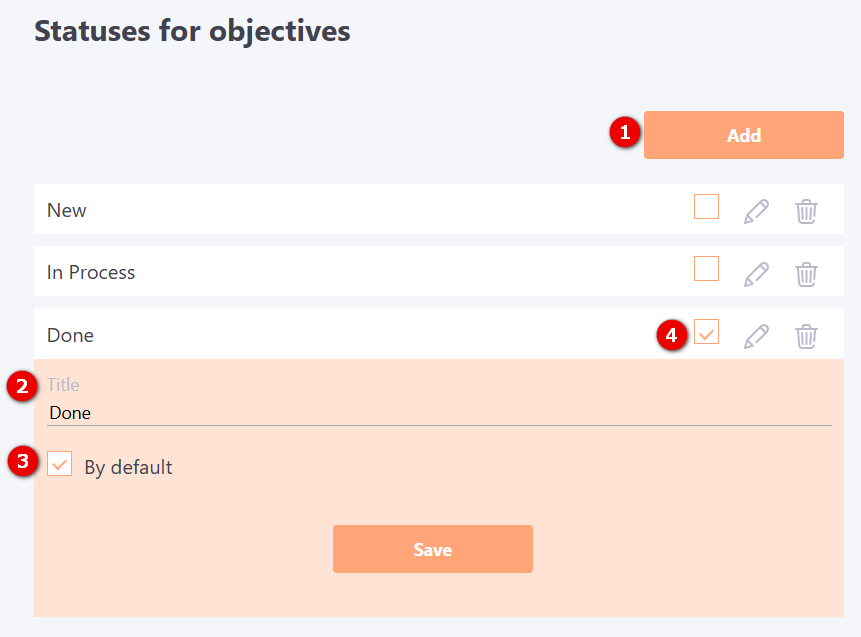
To create a status for objectives, click on the Add (1) button. An element will be created in which you need to specify Title (2) and click the Save button.
You can enable the option for an item from the list:
-
By default (3) - when creating a new objective, this status will be set by default (the option can be enabled only for one status);
-
The task would be completed (4) - tasks with this status will be included in the list with the filter Completed (find more in Filter by objectives)