
Strategic plans table
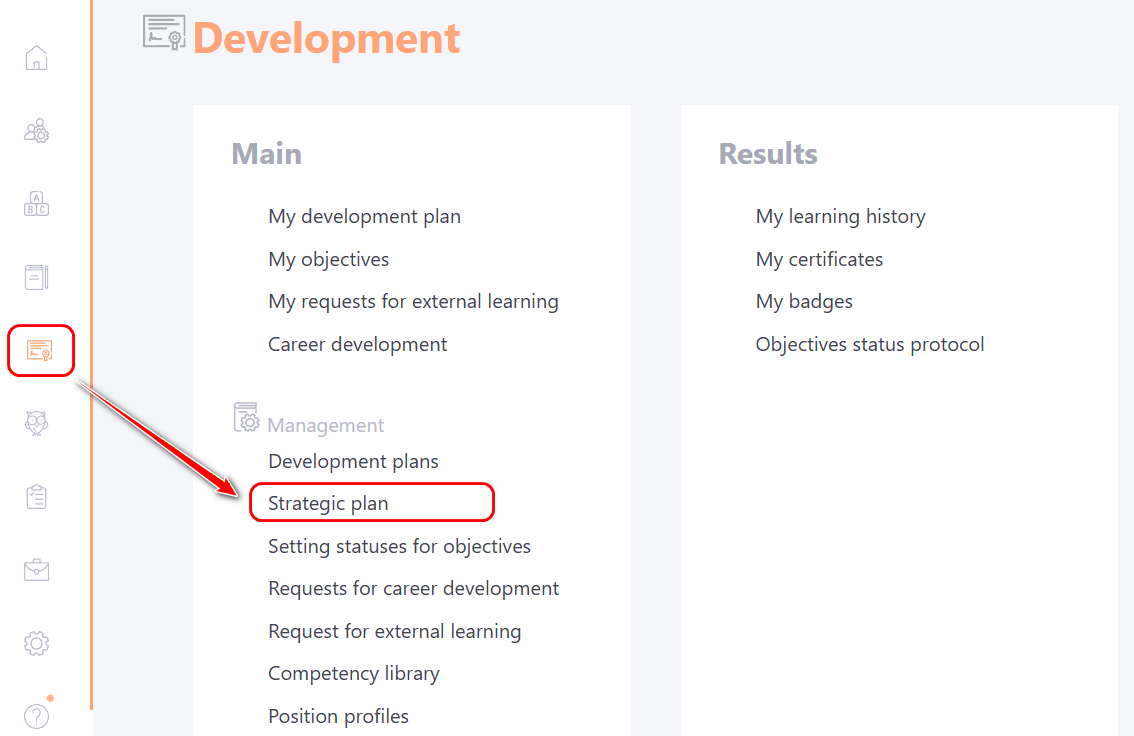
You can go to the table and list of strategic plans through the Development - Strategic Plan menu:
On the Strategic Plan page, click the Actions button - Strategic Plans:
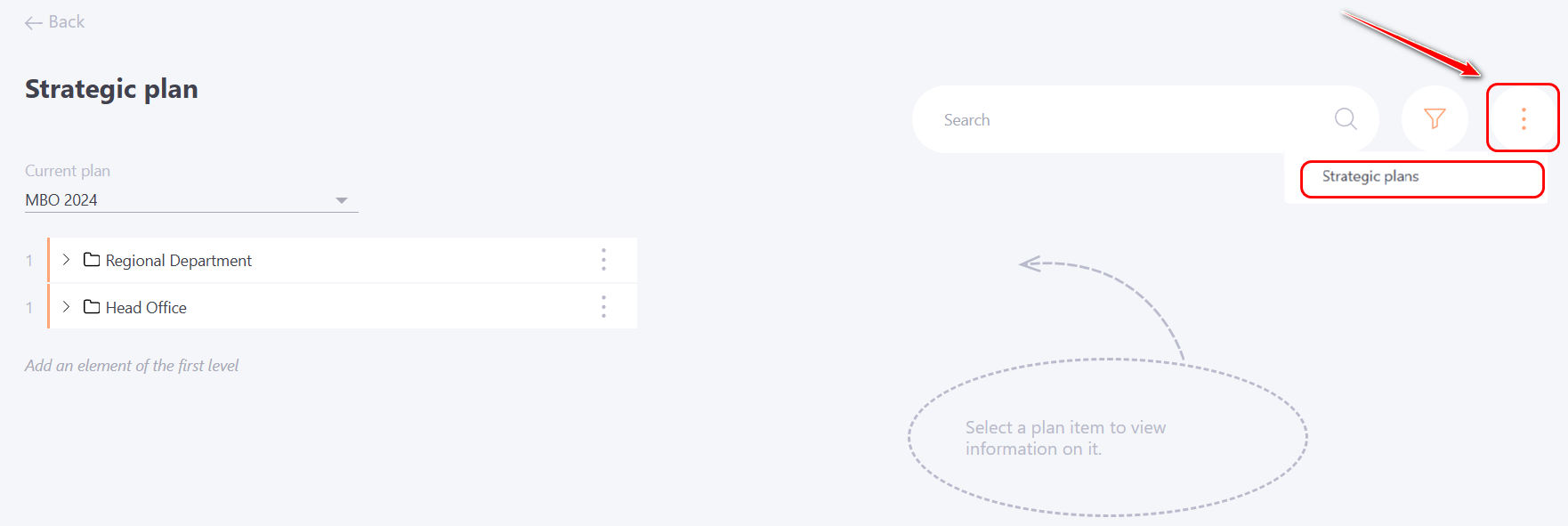
Next, the Strategic Plans page will open.
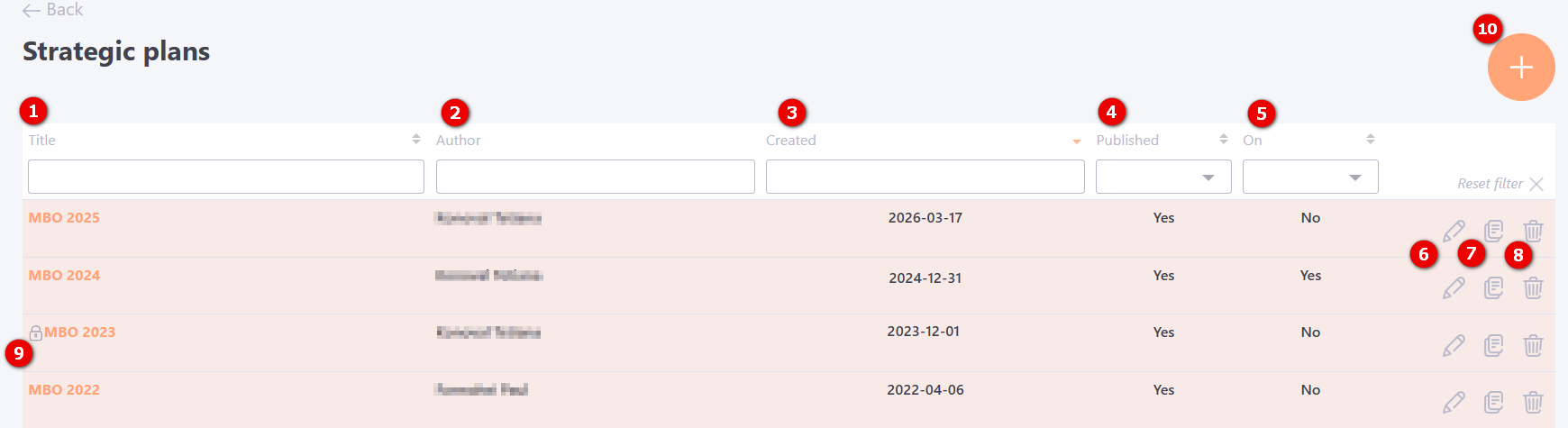
The table shows a list of created Strategic Plans, with an indication:
(1) - Title - Titles of the Strategic Plan.
(2) - Author - Full name of the creator of the Strategic Plan.
(3) - Created- Date of creation of the Strategic Plan.
(4) - Published - Publication status of the Strategic Plan: yes (published)/no (unpublished).
(5) - On - displaying the setting of the Strategic Plan, which is set at the stage of Adding a strategic plan or editing an existing one via the Edit button (6).
(6) - Edit - changes in some parameters of the Strategic Plan that were specified when the plan was created.
(7) - Duplicate - duplication of the strategic plan. When you click the button, the same strategic plan is created with identical settings of the plan itself and the same tree. For the objectives, everything is duplicated except "Complete by", "Actual completion date", "Performance assessment", "Summaries" and "Comments".
(8) - Remove - deleting the strategic plan.
(9) - Locked - prohibits you from changing any target parameters. You can lock it on the page Adding a strategic plan or its Editing (6).
To create a new Strategic Plan, click Add (10). For more information about configuring the Strategic Plan, read here: Adding a strategic plan.