
Updating a program structure
All program settings are available for change at any time - when creating the program, after creating tasks with this program, after assigning tasks to users and after receiving the results of passing. At the same time, all changes in the program can affect the already collected results on tasks from users. Therefore, it is very important for the administrator to control all changes in the Training Programs.
For any changes of the program, if the program is already used in at least one task, a message appears with a list of tasks where this program is used. List of possible changes in the program structure:
- adding new elements;
- deleting elements from the program structure;
- rearrangement of elements;
- adding and deleting sections;
- section name change;
- adding and removing items to sections;
- rearrangement of sections;
- changing the access requirements for program items.
Each of the tasks can be updated by pressing the Update button on the pop-up message. You can also go to Edit task from it - the task name works as a link to Edit.
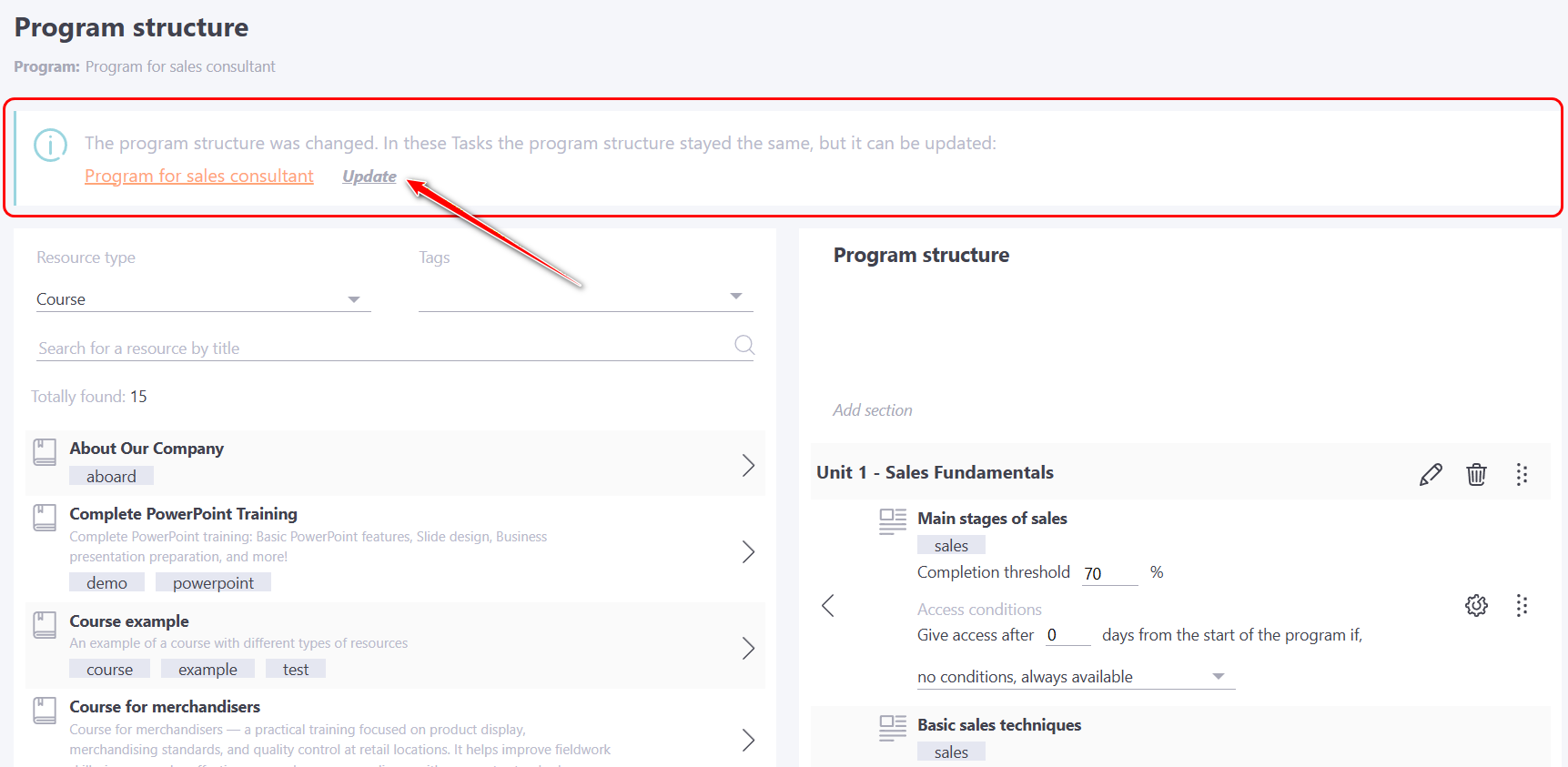
When an administrator opens a task within a program whose structure has been modified, a notification about the available update will appear. To update, go to the Settings Block - Program structure and click the button. all program changes will be saved for this task.
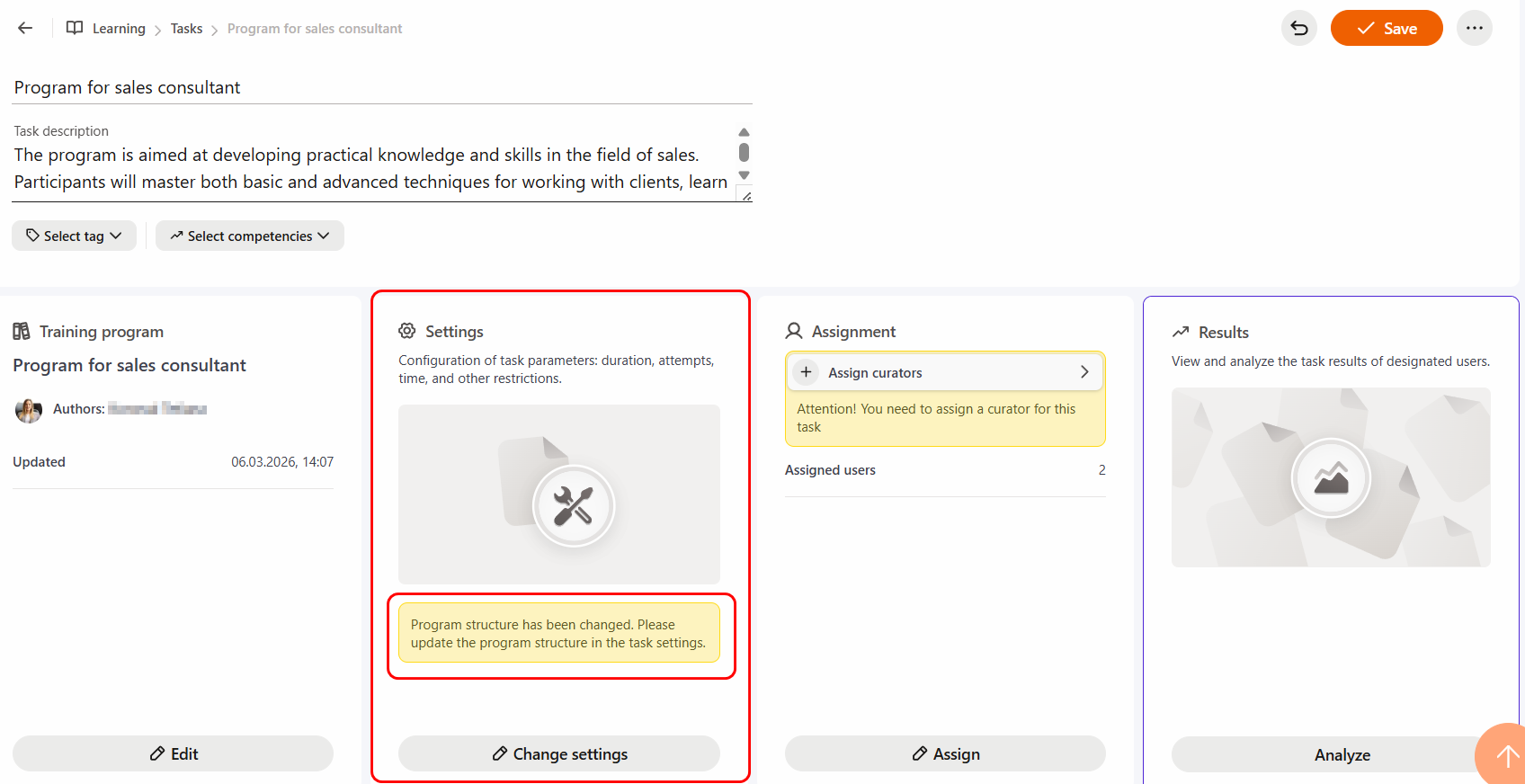
After updating the task, all results and statuses of users on the task with this program will be changed:
Adding new items
If you add at least one new element to the program, then by pressing the "Update program structure" button - all the results of the program passage will be canceled and the task with the program will go to the In progress status.
Deleting elements from the program structure
If you delete one of the elements from the program, then by clicking on the button "Update program structure" - the result of the program is recalculated (all the results of the passage of the deleted element are deleted) and the Completed or Failed status is set.
Other changes in the structure of the program
When you rearrange or change the access conditions, change the order of elements, add and delete sections, change the name of the section, move elements to other sections, the results after the update does not change. But the message about the need to update is displayed.
Changing settings for items
Changing settings for items (changing the Pass Threshold and other settings for tests, courses, etc.) is not dependent on updating tasks. All settings are saved automatically for all tasks without the need to update them. Program results are recalculated only if users re-enter the completion of the task.
About the features of updating a task-program after adding it to the structure:
-
Meetups - more details Using meetups in programs
-
webinars - more details Using webinars in programs