Notifications about updating and adding resources
There are two types of notifications for resources in the Knowledge Base (find more in Notification templates for Knowledge base):
- about adding a new resource;
- about updating an existing resource.
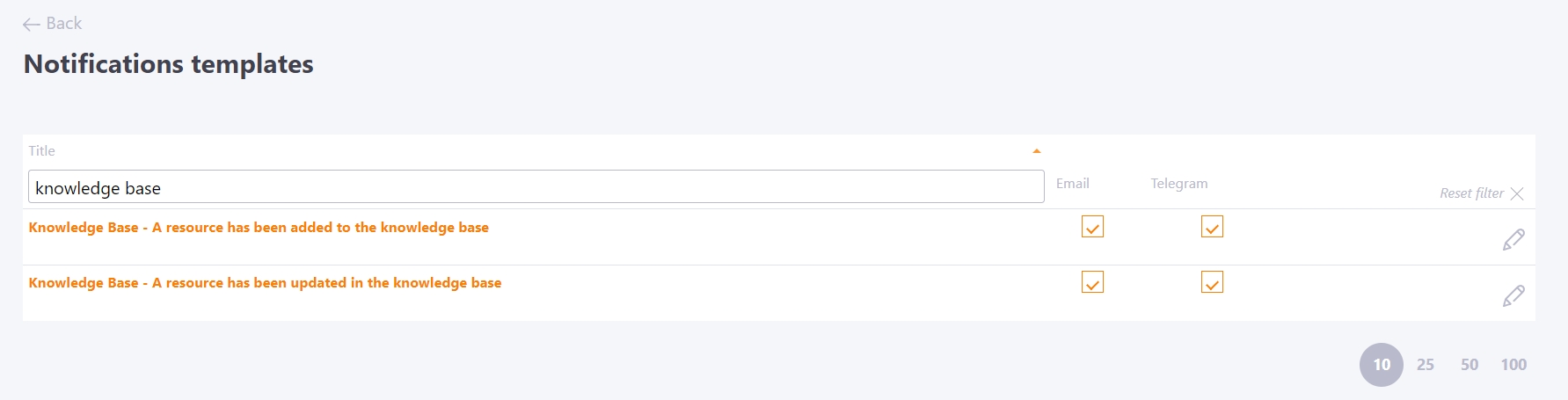
Notifications are sent to all resources according to access groups (find more in Knowledge Base Management).
Users receive email notifications about changes in the Knowledge Base. Each email contains a link to go to the corresponding resource.
Additionally, you can configure sending SMS or messages to instant messengers, as well as change the text of the notification template. (find more in Notification templates setting).
Users also receive an informational notification about changes to the Knowledge Base in their personal account, which they can view in Notification bar
Subscription to Resource categories
Users can subscribe to important and interesting Resource Categories instead of receiving all notifications about knowledge base updates.
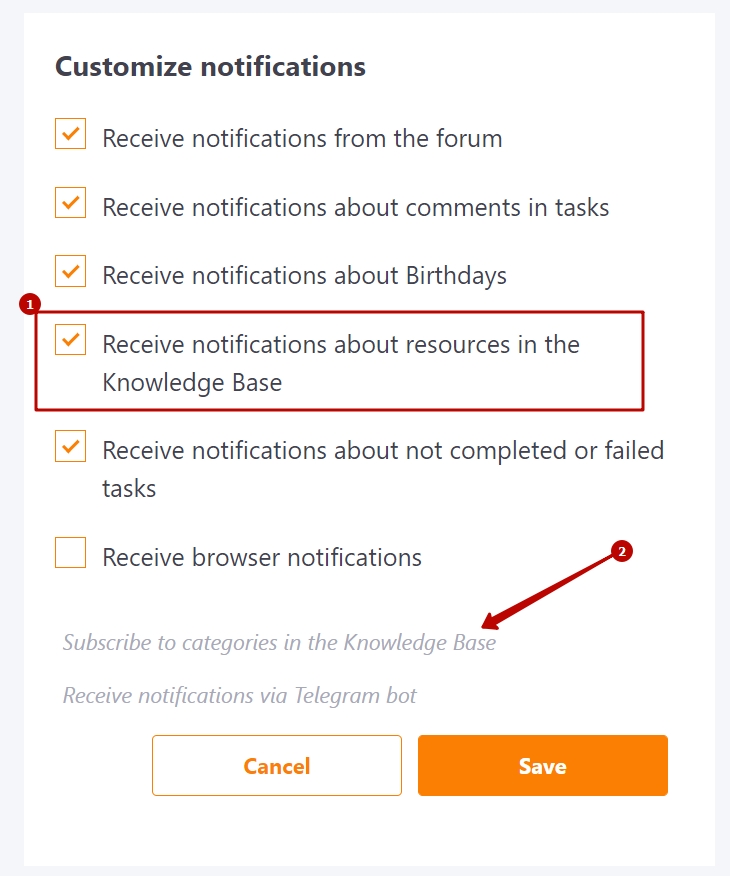
To do this, on the Security and notifications - Customize notifications page you need to:
- select Receive notifications about resources in the Knowledge Base checkbox
- click on the line Subscribe to categories in the Knowledge Base
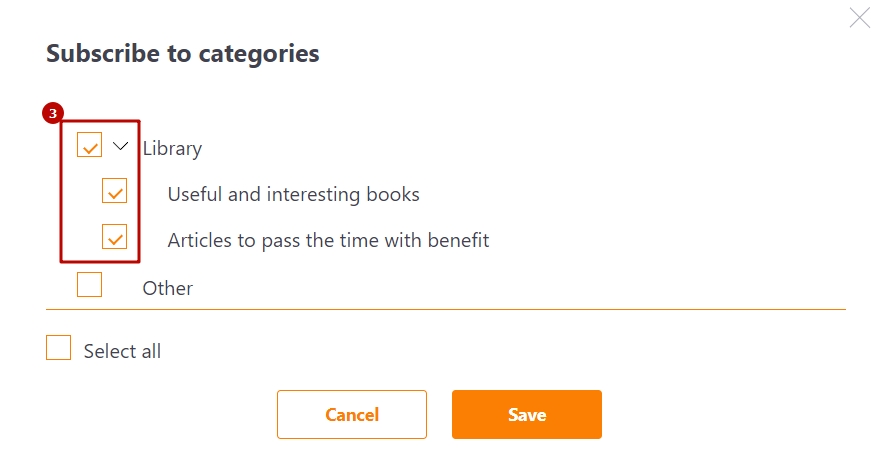
- select the categories of resources for which notifications will be received.