
Email with login details
Letter with login data is sent automatically after user registration in the system:
-
When adding Users manually if the Save and send notification button is clicked to save the data, a notification is sent to the user with the template Users - Registration complete.
-
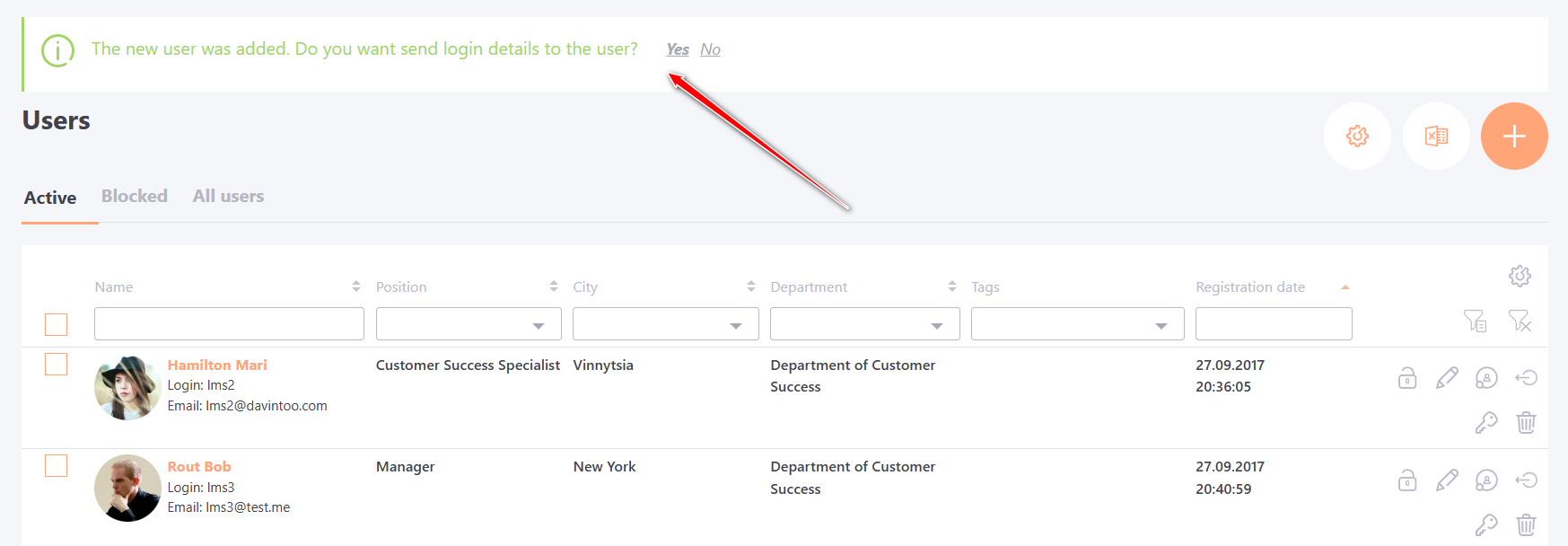
After adding Users manually, if after saving the new profile, the Administrator confirms sending the letter on the Users page:
Please note! After refreshing the page, the information message will disappear and it will be impossible to resend the notification.
- After import, if the template Users - User has been added after import is enabled in Notification templates setting, a corresponding notification with authorization data (login and password) is sent to the new user.
If after importing the e-mail was not sent for any reason, it is impossible to resend the password to the user, as it is encrypted by the system.
The exception is if following requirements are met during import:
- The user has a real (not virtual) email;
- The user has never signed in;
- The password not changed;
- The password in the import file is empty.
If these conditions are met, a random password will be automatically generated. It can be sent via the button Send E-mail with login details in the Users list (Menu: User Management - Users).
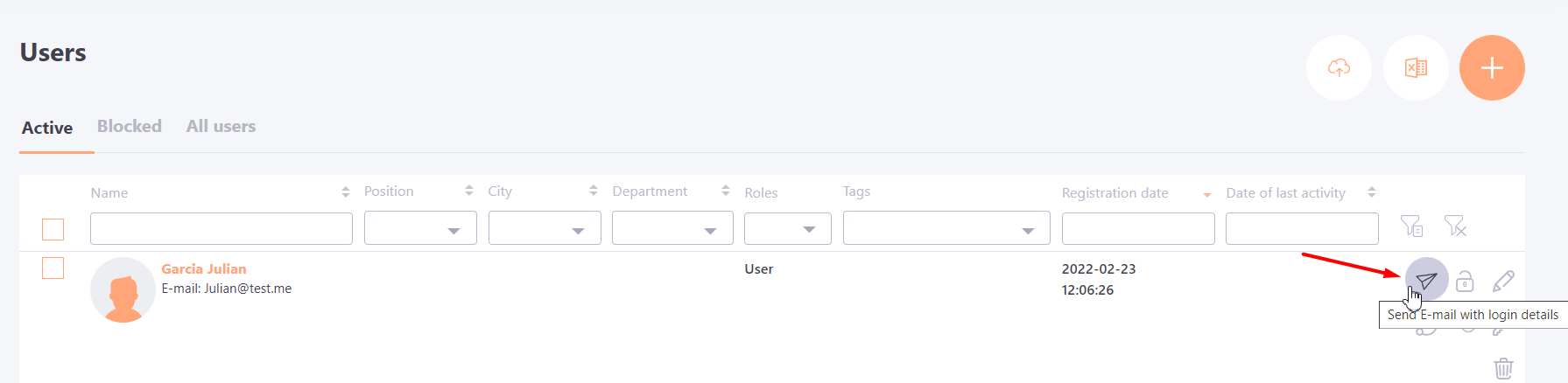
After the user has signed in or had their password changed, the button disappears.