
Extend the task completion time for specific users
In Collaborator, it is possible to extend the deadline for specific users who have not completed a task for valid reasons. This option is available for tasks with a due date of Amount days since assigning and Calendar period that do not have the Do not block access after expiration date checkbox selected.:

To extend the learning time, the administrator needs to access the Learning - Results - Training reports menu and select the required type of report:
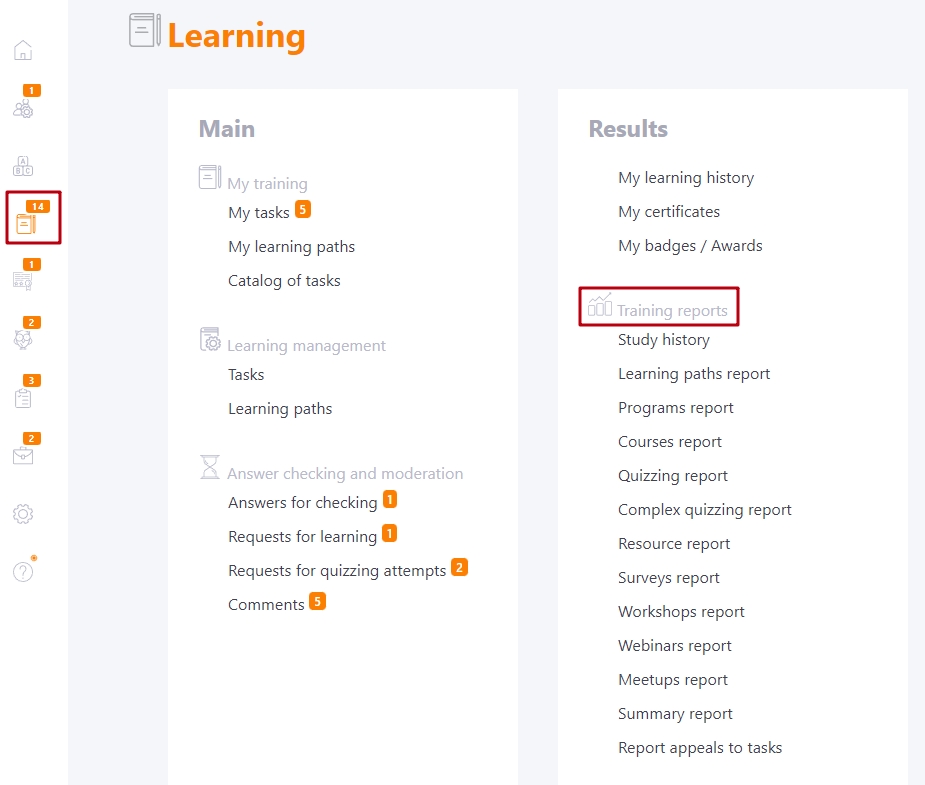
Next, on the report page, click on the "Extend deadline" button. This button is displayed for users with the task completion status "not started" or "failed" and the completion period has expired:

After clicking on the button, a modal window will appear in which you need to specify the date and time of the new deadline:
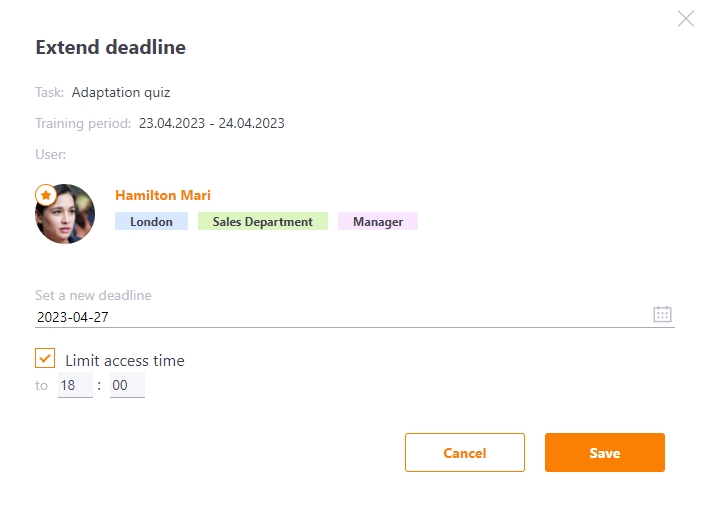
After extending the learning period, the user will receive an email according to the template Tasks - Remind about incomplete tasks - manual sending with the current completion date.