
Tasks Reminder
Task reminder - settings for sending automatic Email reminders about tasks to users. These are additional reminders that can be enabled or disabled in the task settings. Depending on the reminder settings, different types of Email will be sent to users:
- Tasks - Remind about failed or expired tasksя
- Tasks - Remind about expired tasks
- Tasks - Deadline of tasks ends
- Tasks - Deadline of personal development plan tasks ends
- Tasks - A list of tasks that require attention from your subordinates
- Tasks - New tasks for subordinates
- Tasks - The result of completed tasks by subordinates
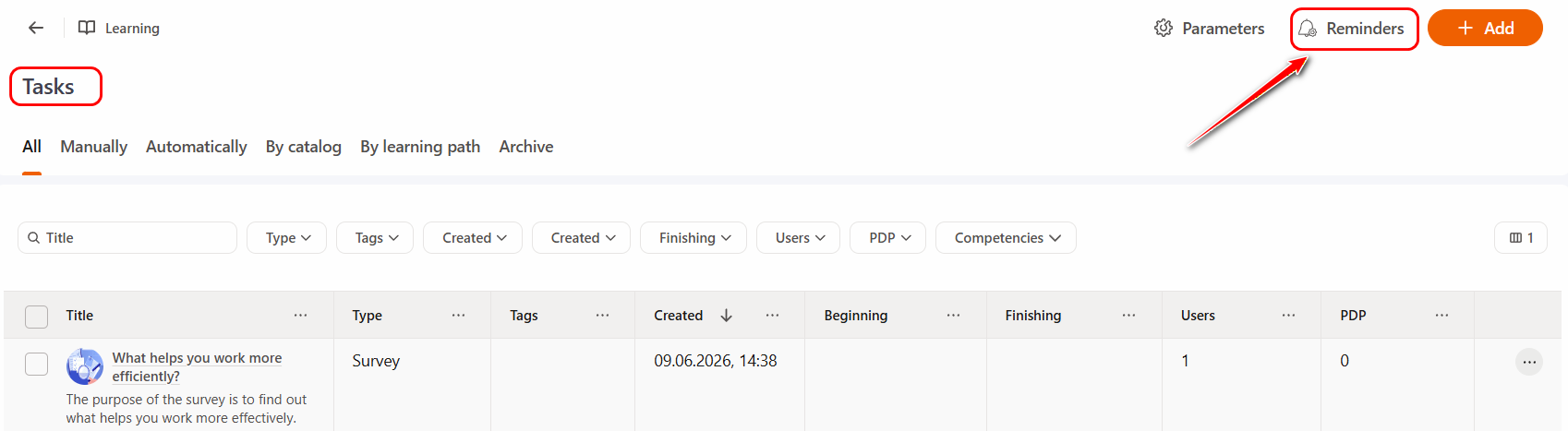
To go to the settings, on the Task Table page (Learning - Tasks menu), click the Reminders button:
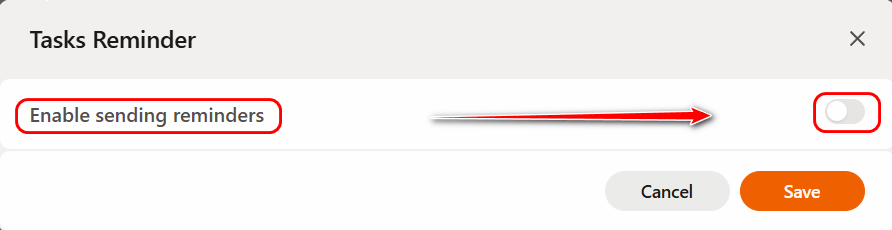
The Task Reminder modal window will open, where you need to enable the Enable sending reminders switch:
Then you can move on to the reminder settings:
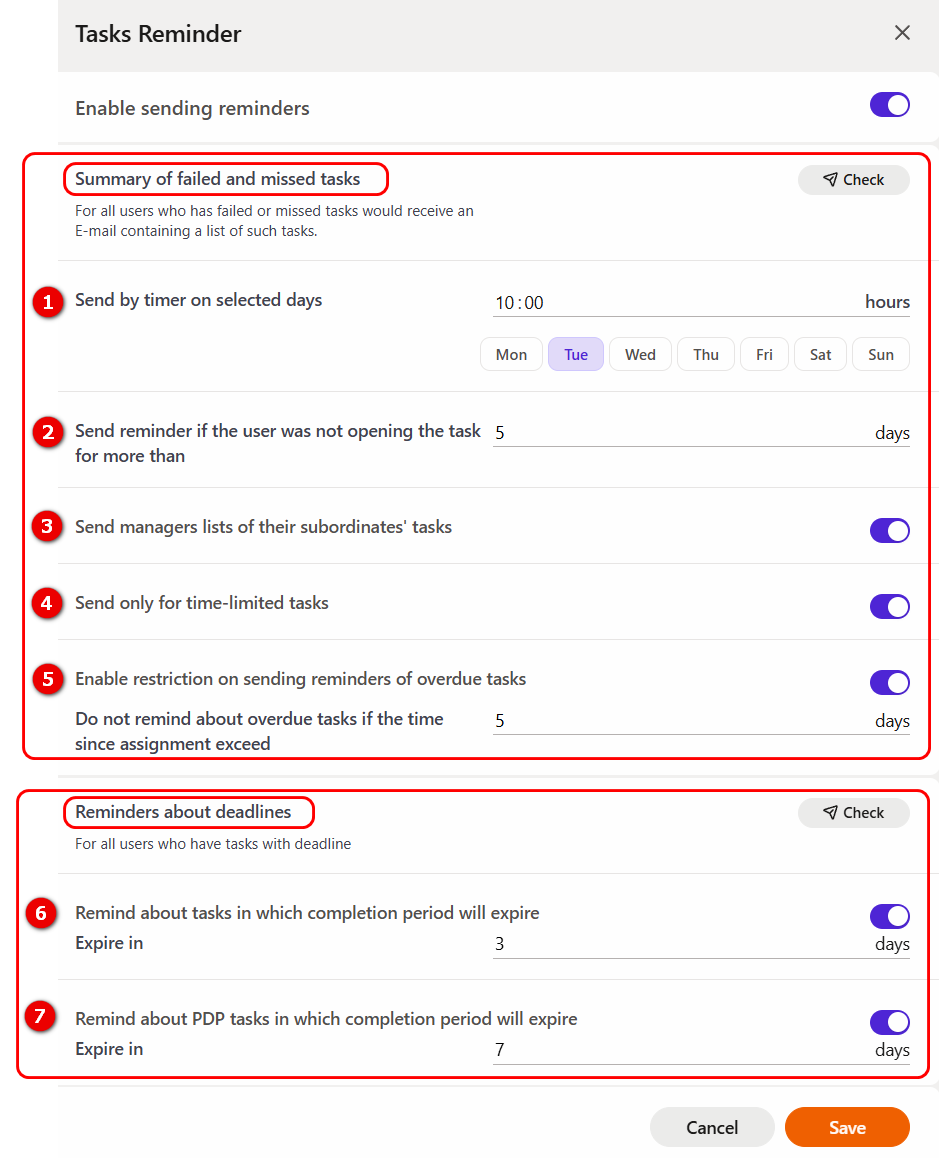
SUMMARY OF FAILED AND MISSED TASKS
For all users who has failed or missed tasks will be sent a message to their email and messenger (if connected) with a list of such tasks.
The "Check" button - allows the system administrator to send a test email to check the operation and settings of the reminders. A message with a list of unsuccessfully completed and unstarted administrator tasks will be sent to the Email specified in the profile.
The notification is sent using the template Tasks - Remind about failed or expired tasks and Tasks - Remind about expired tasks
(1) - Send by timer on selected days - setting the frequency of sending Email reminders. Here you need to specify the time of sending reminders and select the days on which they will be sent.
Some peculiarities of sending reminders regarding task statuses:
Don't forget to complete the tasks:
-  not started (if the deadline has not passed)
-  started (if the deadline has not passed)
-  in progress (with respect to the setting of "not accessed the task for more than __ days"))
-  checking is awaited (tasks are not sent)

It was also noticed that you did not succeed in some of your assignments. Please retake them. The list below.

- Failed (if the deadline has not passed)
(2) - Send reminder if the user was not opening the task for more than - reminders for tasks with the "In progress" status will be sent to the general list in Email. Here you can specify the number of days after which a reminder will be sent to the user. Reporting days starts from the last time the task was accessed. Number of days cannot be less than 5.
(3) - Send managers lists of their subordinates' tasks - for all managers will be sent lists of their subordinates with a list of tasks that they did not complete, failed or missed (task status - Not started, In progress, Failed). Managers and subordinates are determined by the Organizational structure.
The notification is sent using the template Tasks - A list of tasks that require attention from your subordinates
If the subordinates' task is In progress status, then only the mailing works according to the logic of "Send reminder if the user was not opening the task for more than N days", and if another status other than done, then it comes "Tasks that require attention:".
(4) - Send only for time-limited tasks - send reminders only for time-limited tasks.
(5) - Enable restriction on sending reminders of overdue tasks.
By selecting this item you can set the number of days after which no reminders about overdue tasks will be sent. The report starts after the expiration of the overdue task. Minimum value is 1 day.
REMINDERS ADOUT DEADLINES
For all users who have tasks with deadline will be sent a message by e-mail and in the messenger (if connected) with a list of tasks that have an expiration date.
The "Check" button - allows the system administrator to send a test email to check the operation and settings of the reminders. A message with a list of administrator tasks, the deadline of which will end in N days, will be sent to the Email specified in the profile.
(6) - Remind about tasks in which completion period will expire - users will receive an additional reminder about tasks whose deadlines expire in the specified number of days.
Notifications are sent according to the template Tasks - Deadline of tasks ends
(7) - Remind about PDP tasks in which completion period will expire - users will receive an additional reminder about PDP tasks whose deadlines expire in the specified number of days.
Notifications are sent according to the template Deadline of personal development plan tasks ends
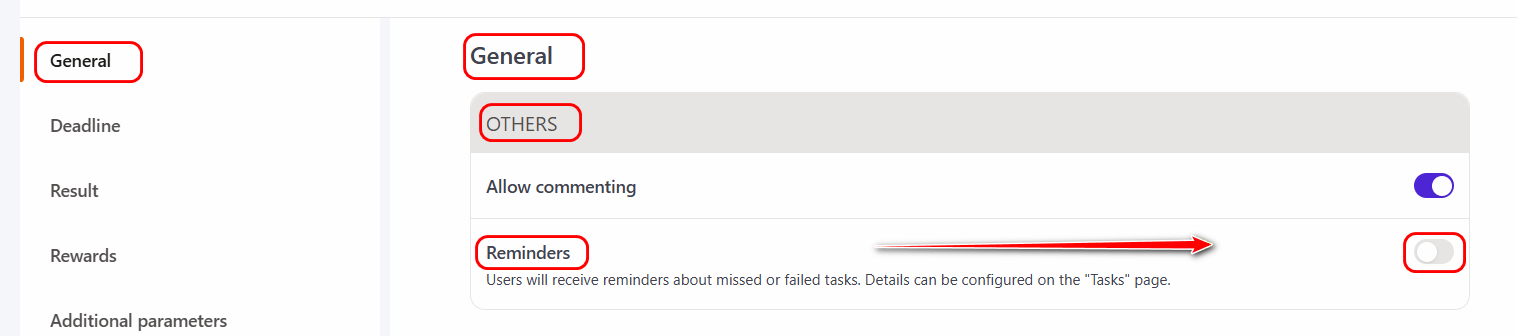
Note! The «Reminder» option is displayed in the settings of a specific Task if "Tasks Reminder" is enabled for all tasks.