
Notifications Menu
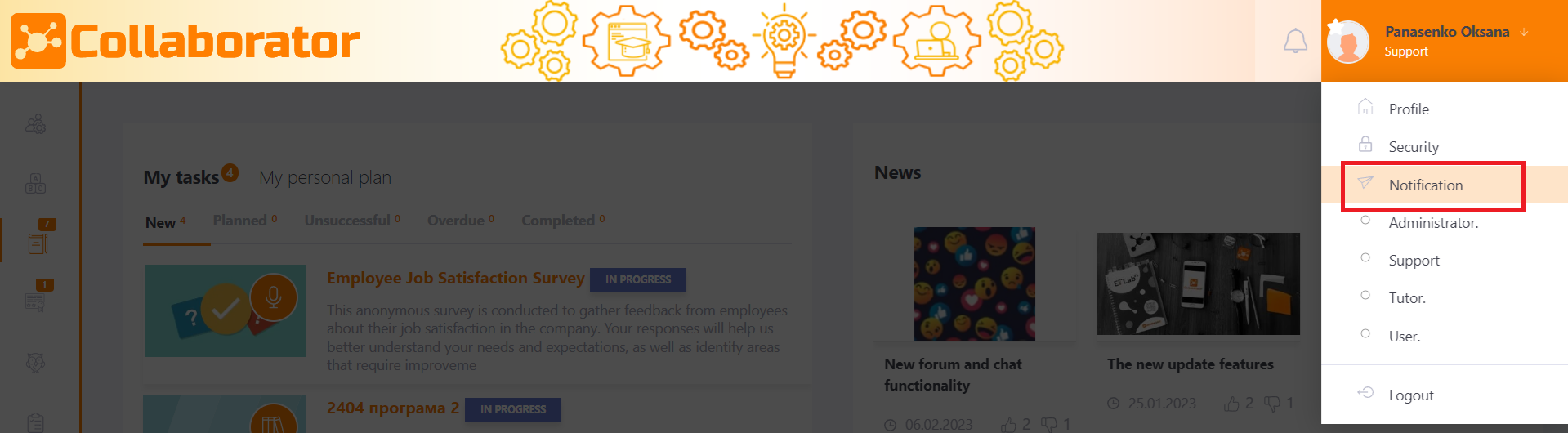
To access the Notifications page, click on Notifications in the user dropdown menu located in the top-right corner of the browser.
The Notifications page consists of the following sections:
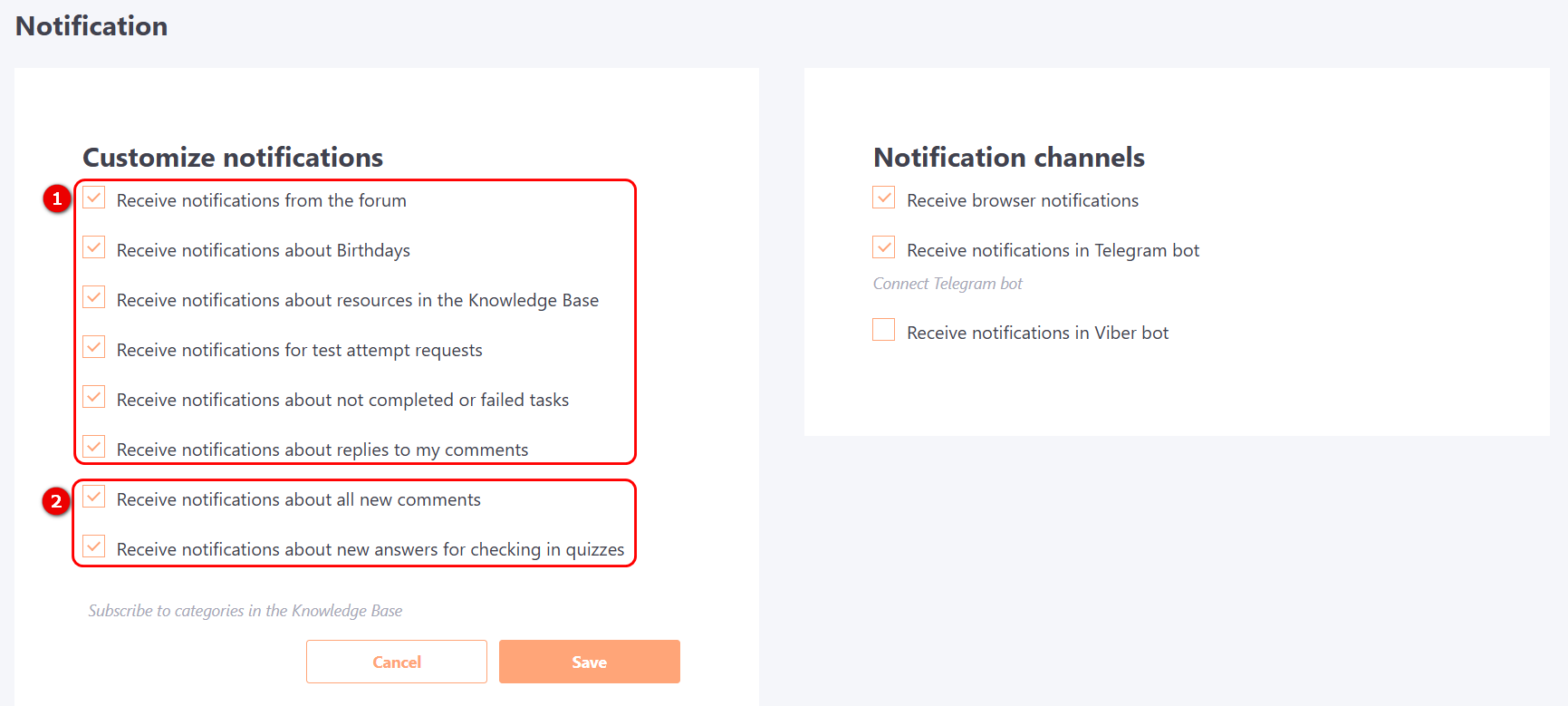
Customize notifications
This block is intended for configuring notifications from the portal that are sent to the user. If the checkbox is checked, the user will receive notifications, if not, the messages will not be sent.
For all users are available the following types of notifications (1):
- Receive notifications from the forum;
- Receive notifications about Birthdays;
- Receive notifications about resources in the Knowledge Base;
- Receive notifications for test attempt requests;
- Receive notifications about not completed or failed tasks;
- Receive notifications about replies to my comments.
If the user has been granted permissions (more details Roles in the system) and has access to moderating comments and checking free answers in quizzes, then the following messages will be displayed in the settings list (2):
- Receive notifications about all new comments;
- Receive notifications about new answers for checking in quizzes.
You can also turn off these notifications if you want.
You can also subscribe to categories in the Knowledge Base.
For more information on setting up subscriptions to individual Knowledge Base categories, see the article Notifications about updating and adding resources.
Notification channels
The Notification channels block is designed to configure the methods of receiving notifications from the portal.
If the appropriate integrations are configured on the portal, the following notification receiving channels may be available to the user:
- Receive notifications in the browser - Notifications from the portal will appear as browser notifications in the browser being used.
- Receive notifications in the Slack bot - notifications will be sent to the chat with the Slack bot.
- Receive notifications in the Telegram bot - notifications will be sent to the chat with the Telegram bot.
- Receive notifications in Viber-bot - notifications will be sent to the chat with Viber-bot.
- Receive notifications in the Teams bot - notifications will be sent to the chat with the Microsoft Teams bot.
- Receive notifications by SMS - notifications will be sent by SMS.