
Gallery
A gallery resource is designed for convenient viewing of a set of images.
This type of resource is convenient to use for demonstrating photos, examples of window decoration, displaying products, results of work performed, as well as any other visual materials.
The gallery is equally well displayed on any device from a smartphone to a computer.
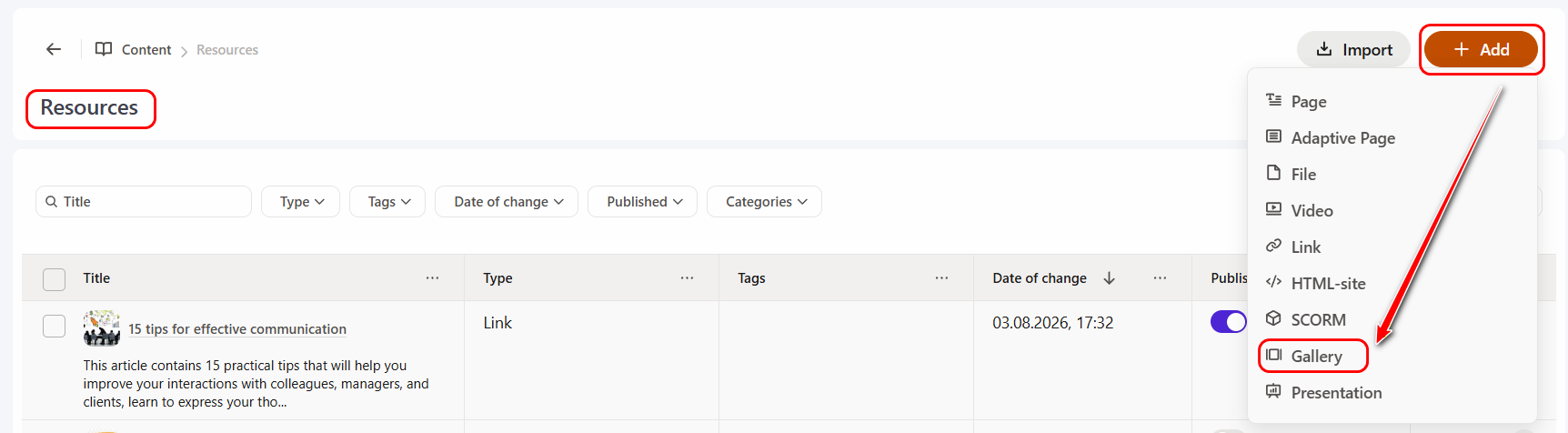
To create a gallery resource, on the Resources page, click the Add button and select the resource type - Gallery:
Next, you need to fill in the basic resource parameters:
- specify the resource title;
- if necessary, add a description;
- select the Categories to which the resource belongs. More details: Resource Categories;
- configure Access to the resource for users in the Knowledge Base. More details: Knowledge Base Management;
- if necessary, select a taq.
Also, as for other types of resources, you can add a Resource Cover and Image for task card instead of the standard one.
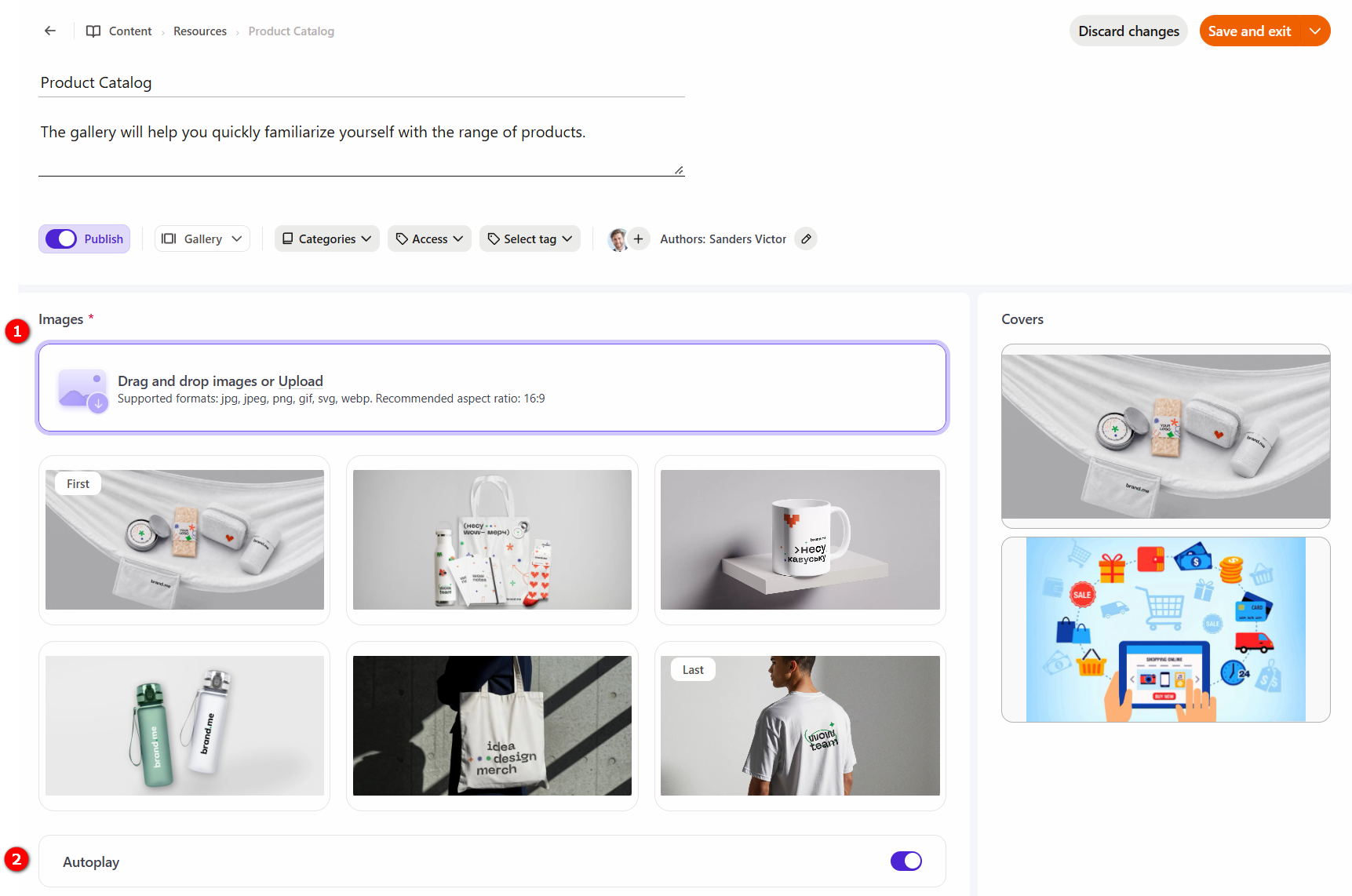
When creating a gallery resource, you need upload the required number of files to the Images (1) field. The number of images is unlimited.
If necessary, you can enable the Autoplay (2) option. In this case, after opening the resource, the images will automatically change after a certain period of time.
When viewed, the created gallery resource will look like this:
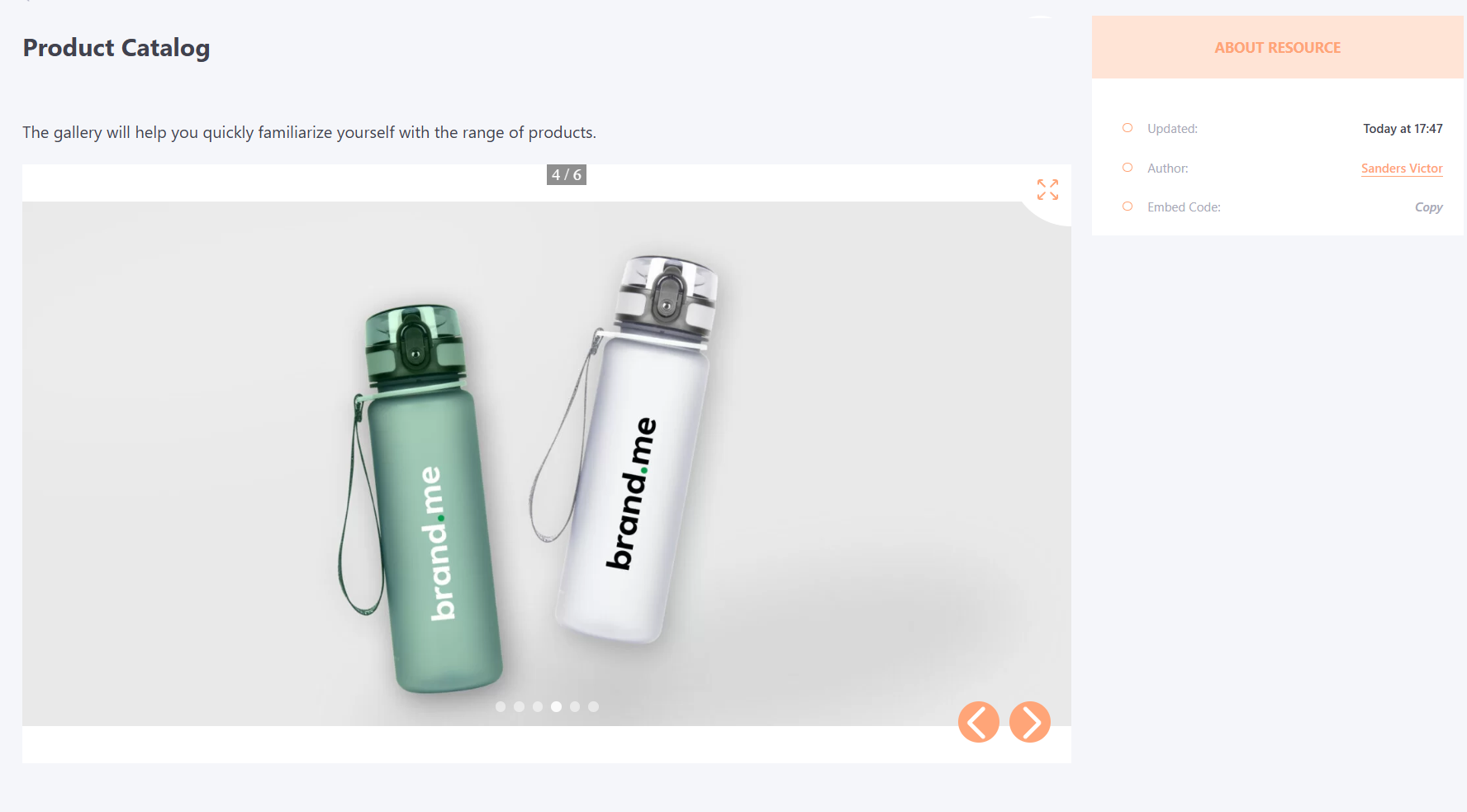
It is possible to enlarge the image by stretching the screen on the mobile phone.