Menu integrations
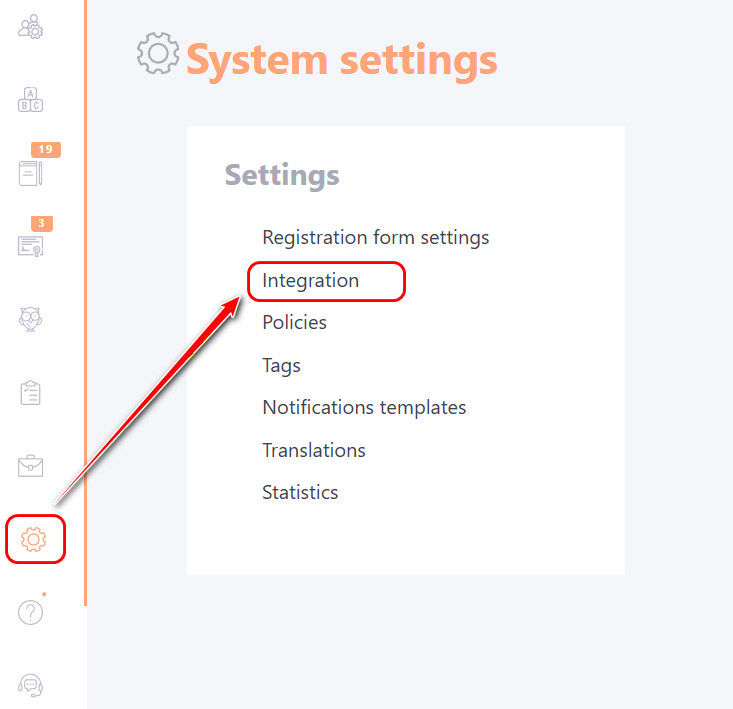
All available options for integrating LMS Collaborator with third-party applications can be configured on the Integrations page in the System settings menu:
Currently, the following integrations are possible:
- oAuth integration
- Integration with ADFS
- Google Integration
- Integration with Facebook
- Email integration
- SMS integration
- Integration with Telegram
- Integration with Viber
- Integration with MS Teams bot
- Integration with Slack
- Integration with Signal
- Integration with Azure AD
- Integration with Active Directory
- Integration with HRM
- Integration with webinars
- Google Analytics Integration
- Integration with AI
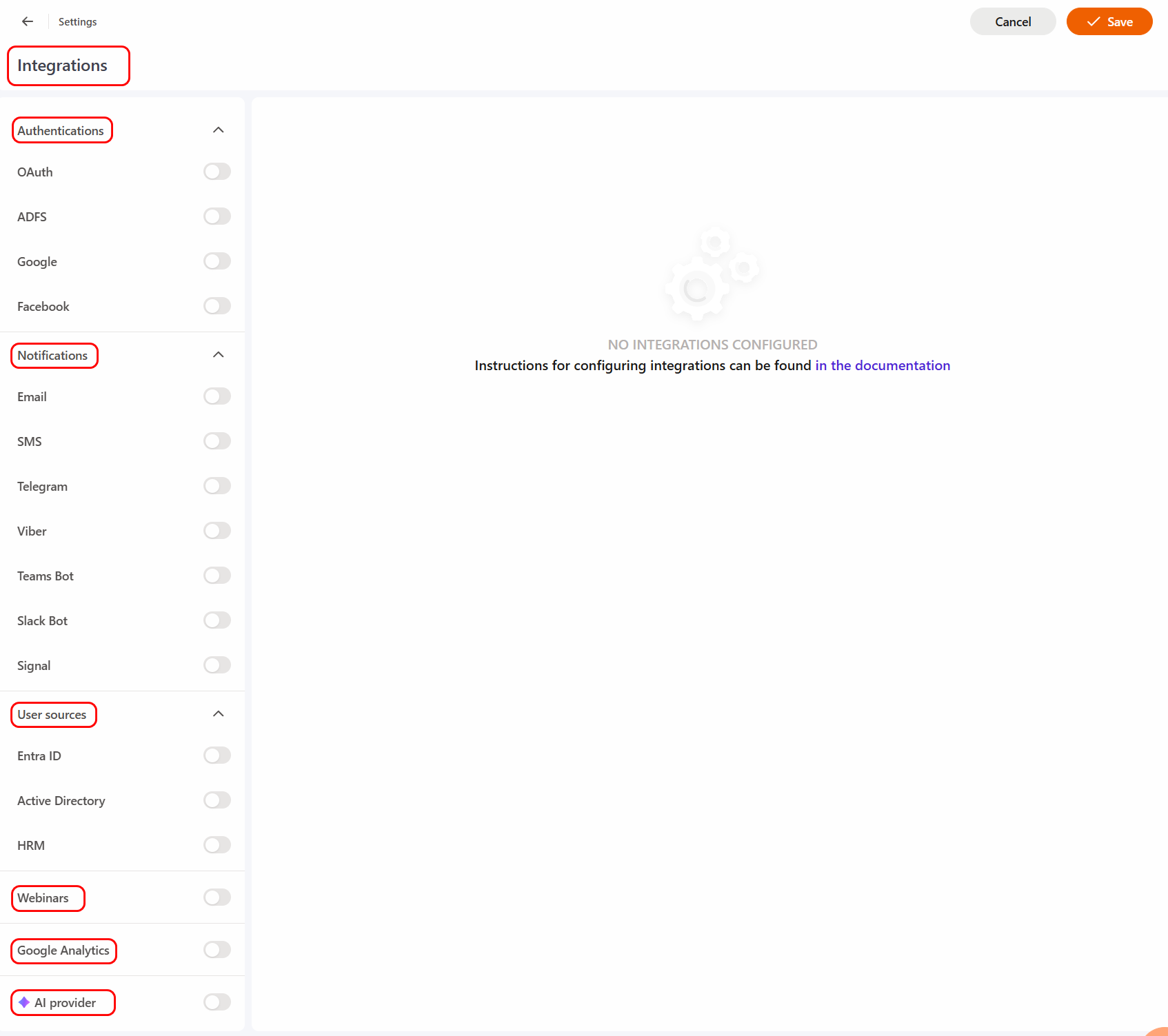
To configure a particular integration, you need to enable the corresponding slider and then the fields for configuring this integration will be displayed.
If integration with:
- Active Directory
- Azure Active Directory
- ADFS
is enabled, the system will not allow users to reset their password if the uid is in the ldap format. If there is no such integration, users with ldap uid can reset their password.
Integration with Outlook calendar
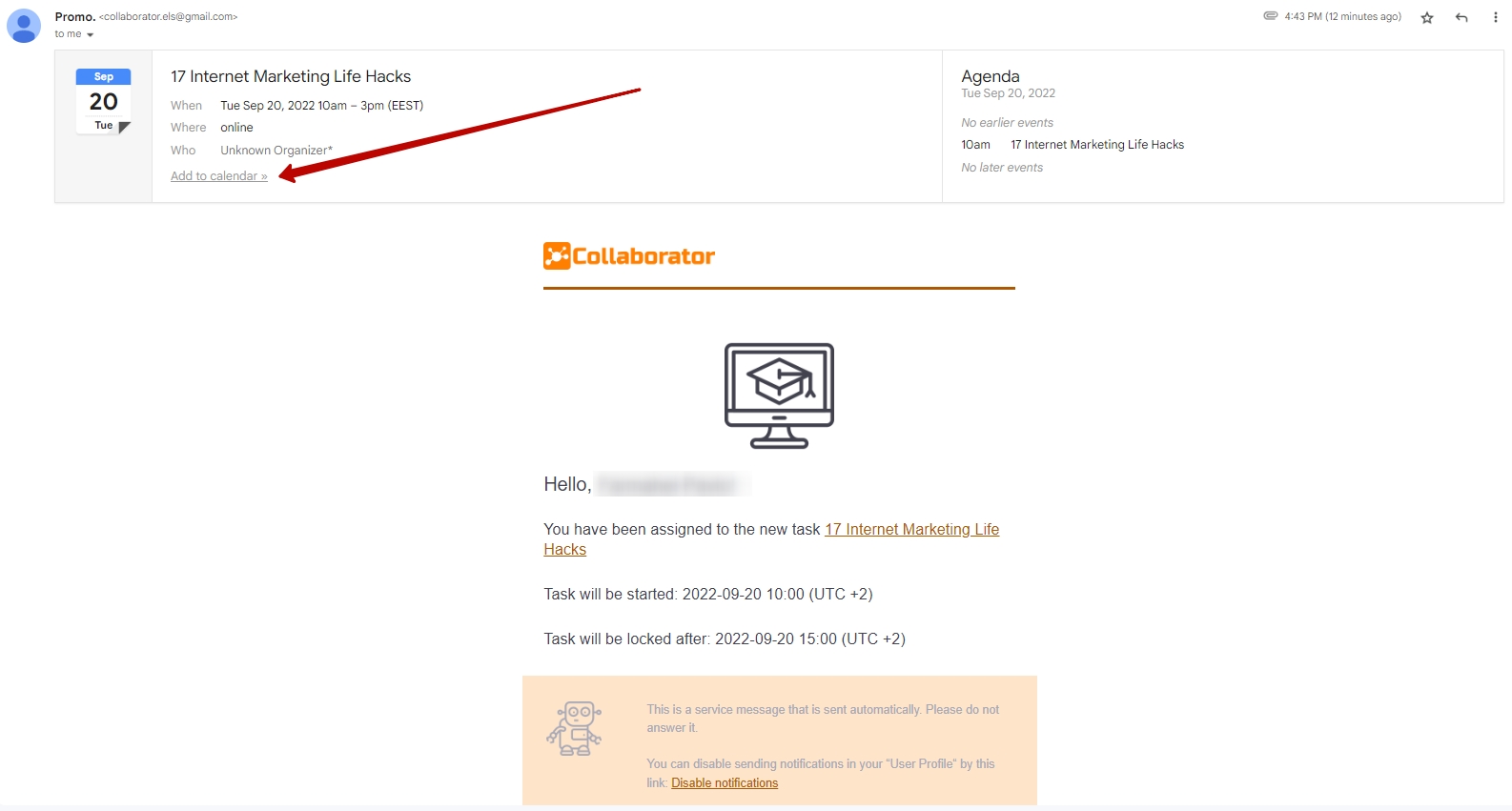
Users who are assigned a task with a time limit can add reminders about its completion to their calendar. A notification with the "Add to calendar" button will be sent to the mail together with the letter about the task assignment: