Table of Contents
oAuth integration
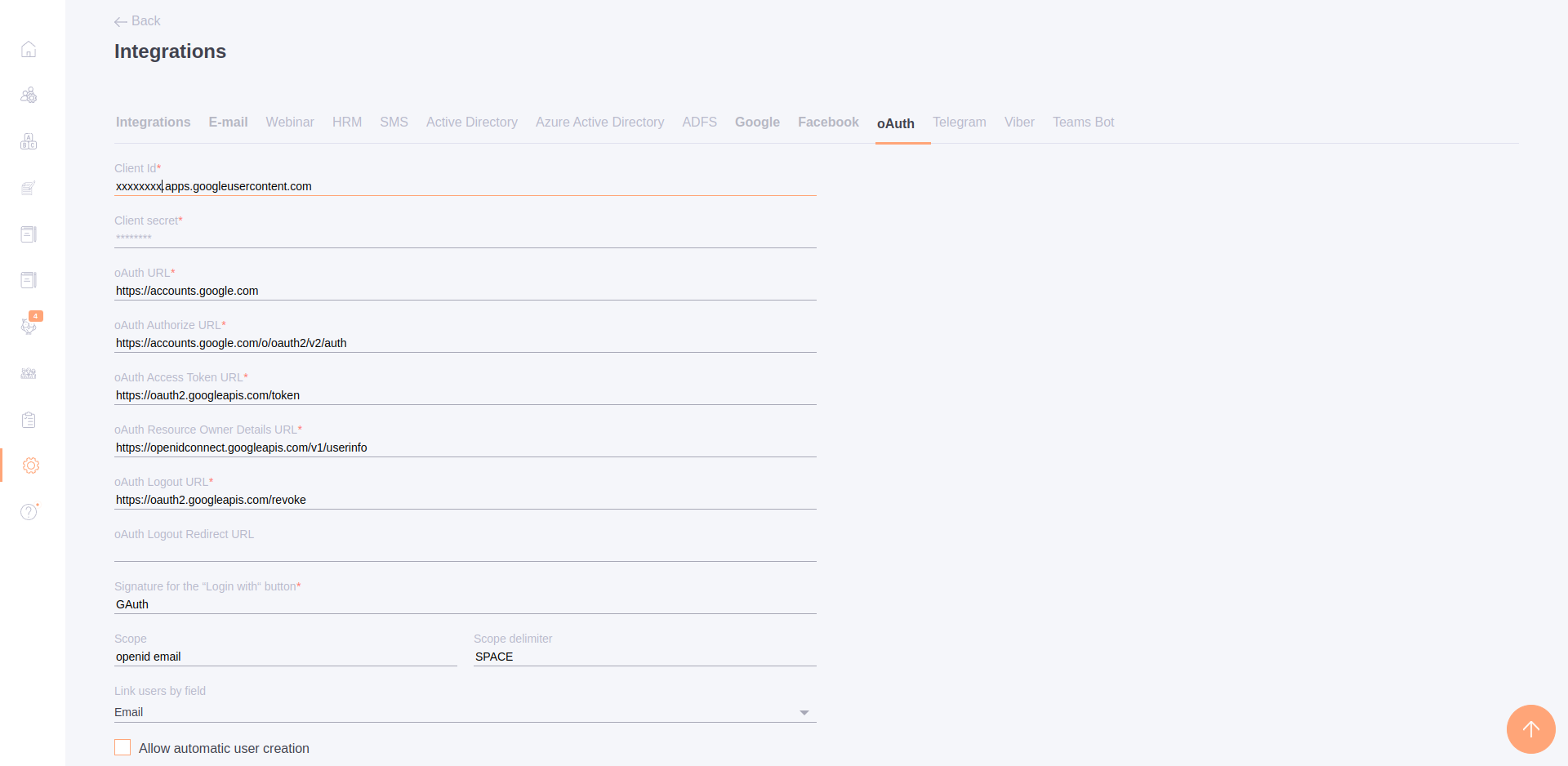
To configure integration using the OAuth protocol, you need to enable the corresponding checkbox and go to the settings tab:
Integration with Azure AD
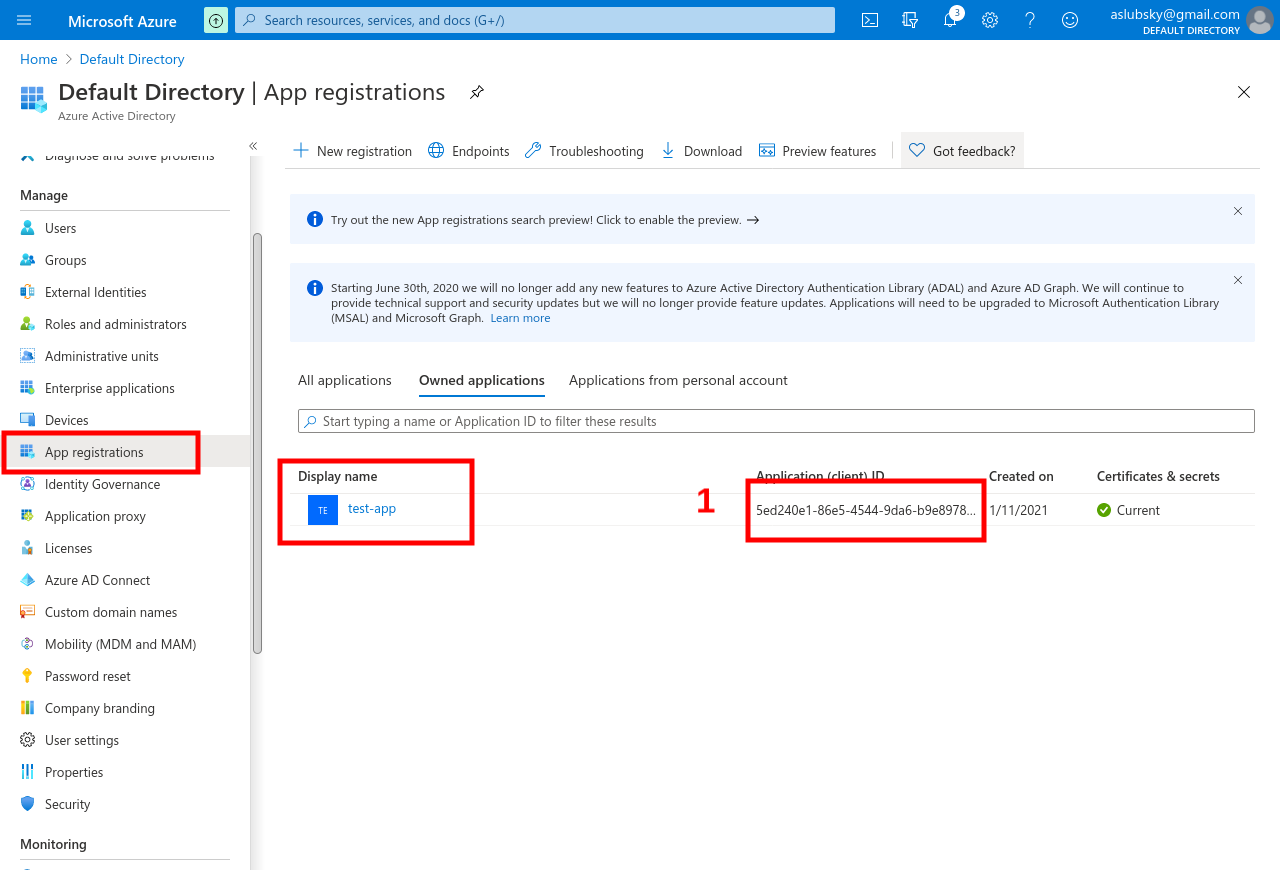
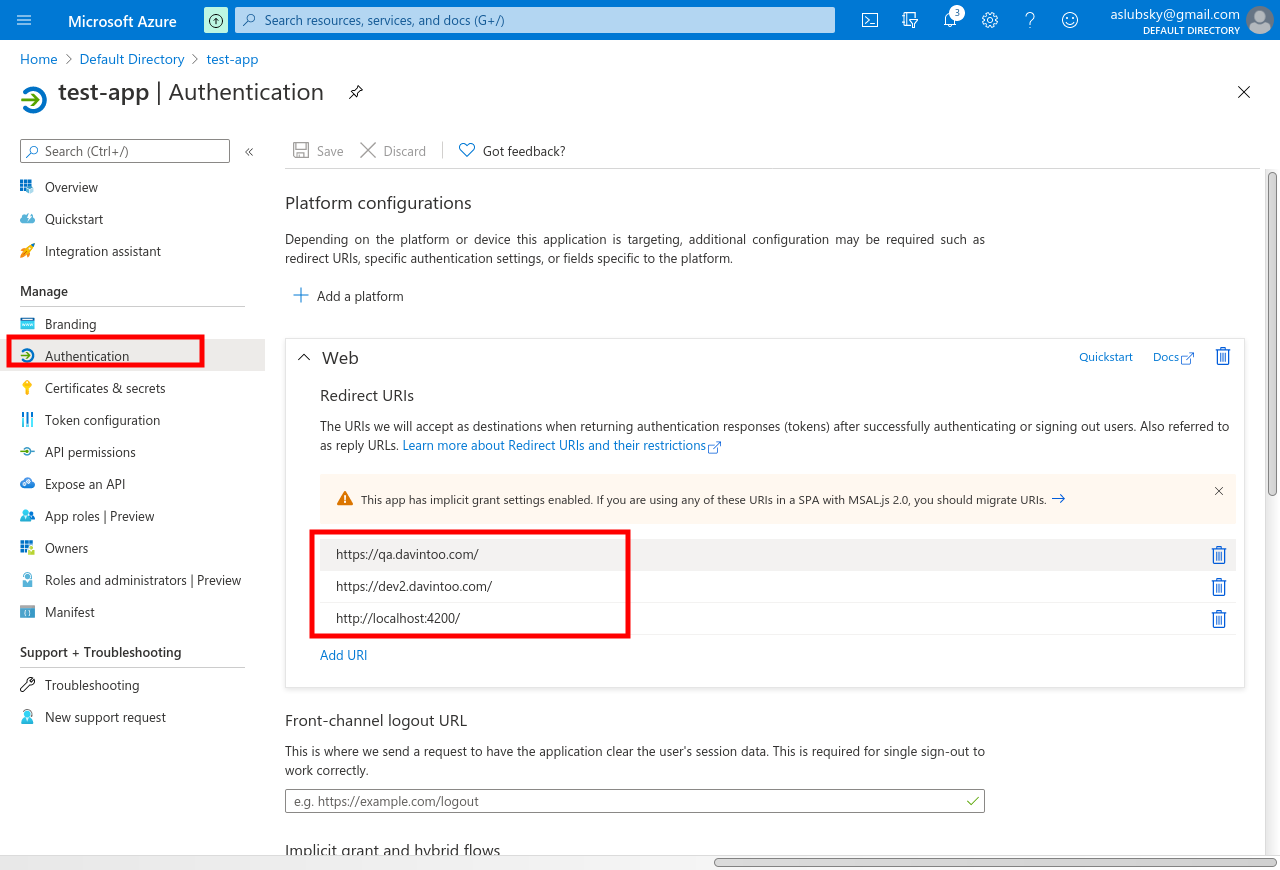
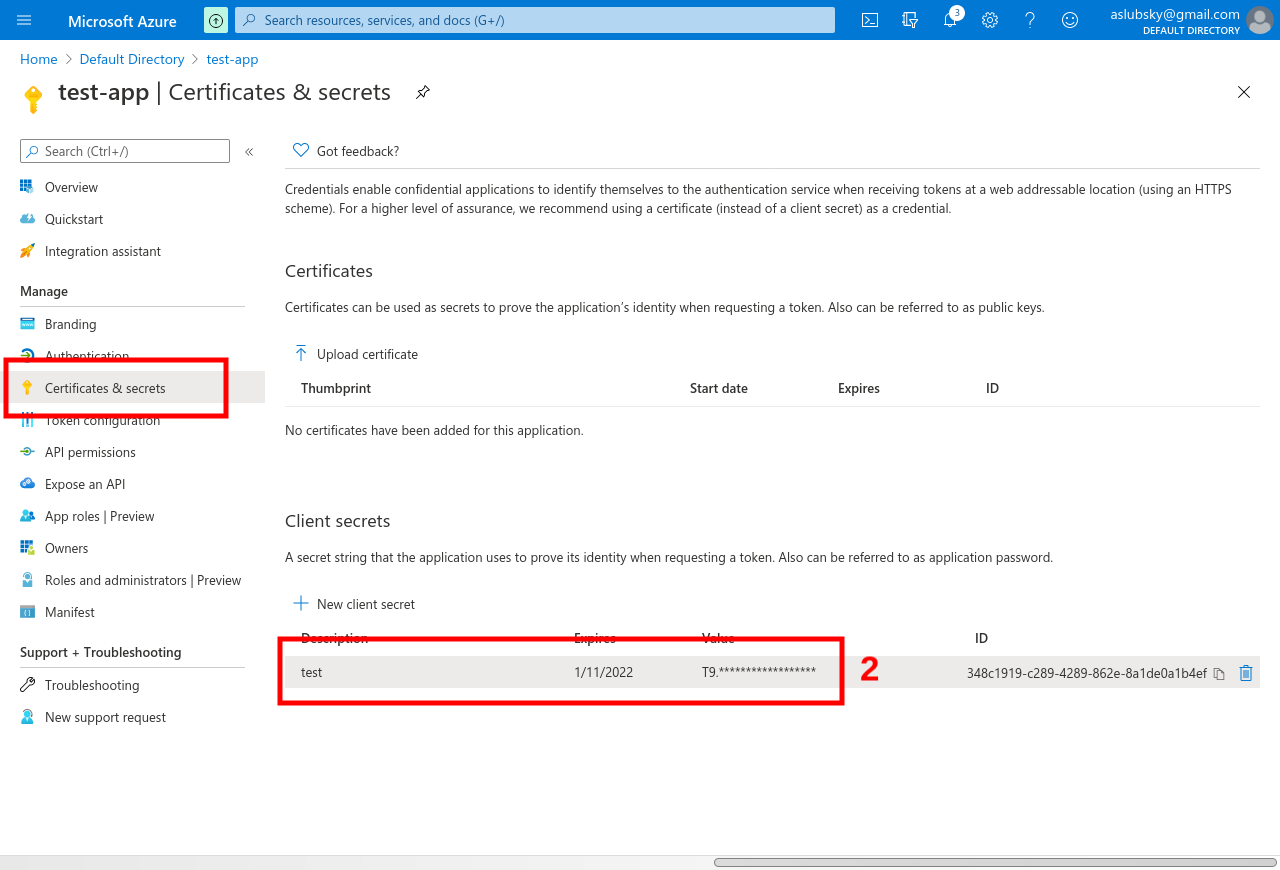
An example of integration with Azure AD using the oAuth protocol:
1) Setting up in Azure AD
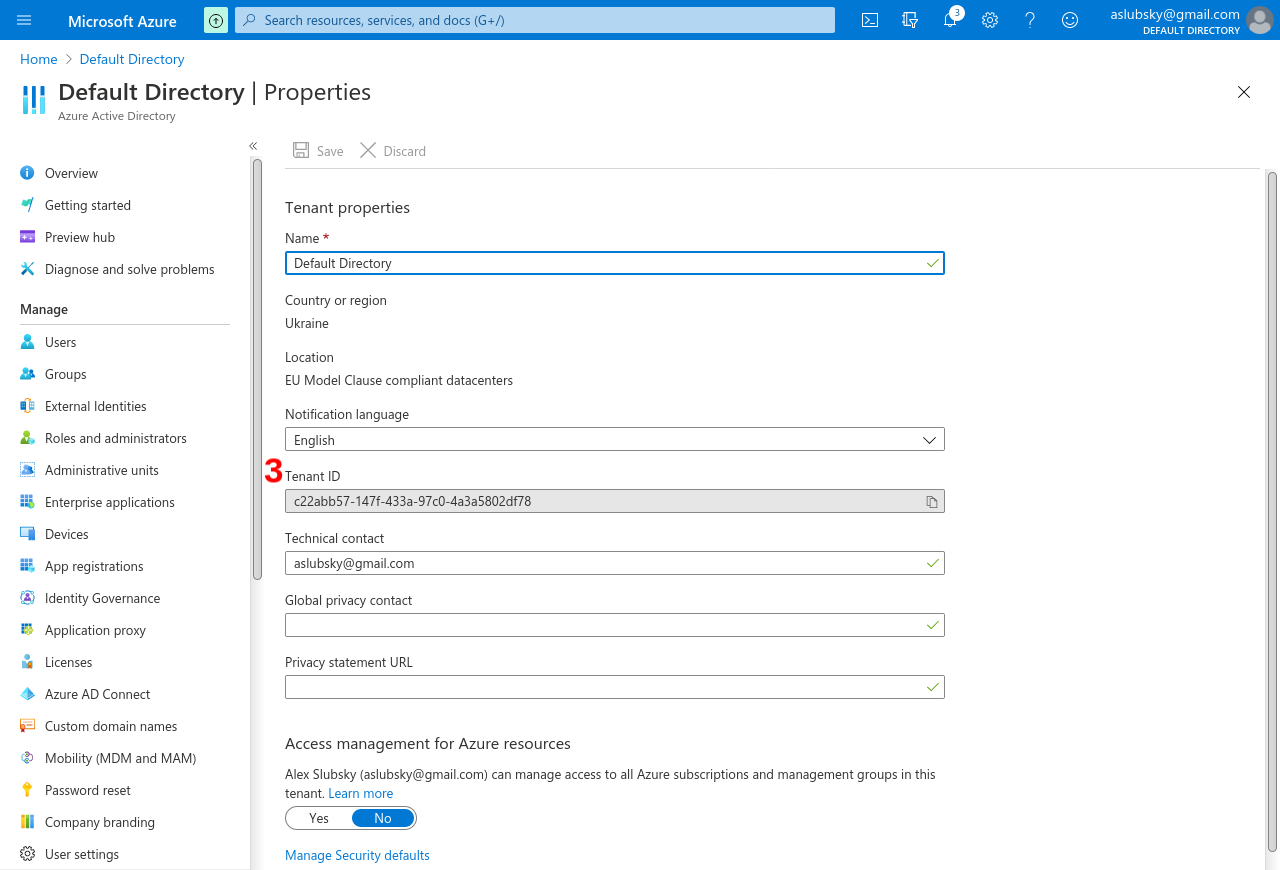
2) Setting up in the system
URL values are generated based on TenantId:
oAuth URL:
https://login.microsoftonline.com/{TenantId}/v2.0

oAuth Authorize URL:
https://login.microsoftonline.com/{TenantId}/oauth2/v2.0/authorize

oAuth Access Token URL:
https://login.microsoftonline.com/{TenantId}/oauth2/v2.0/token

oAuth Resource Owner Details URL:
https://graph.microsoft.com/oidc/userinfo

oAuth Logout URL:
https://login.microsoftonline.com/{TenantId}/oauth2/v2.0/logout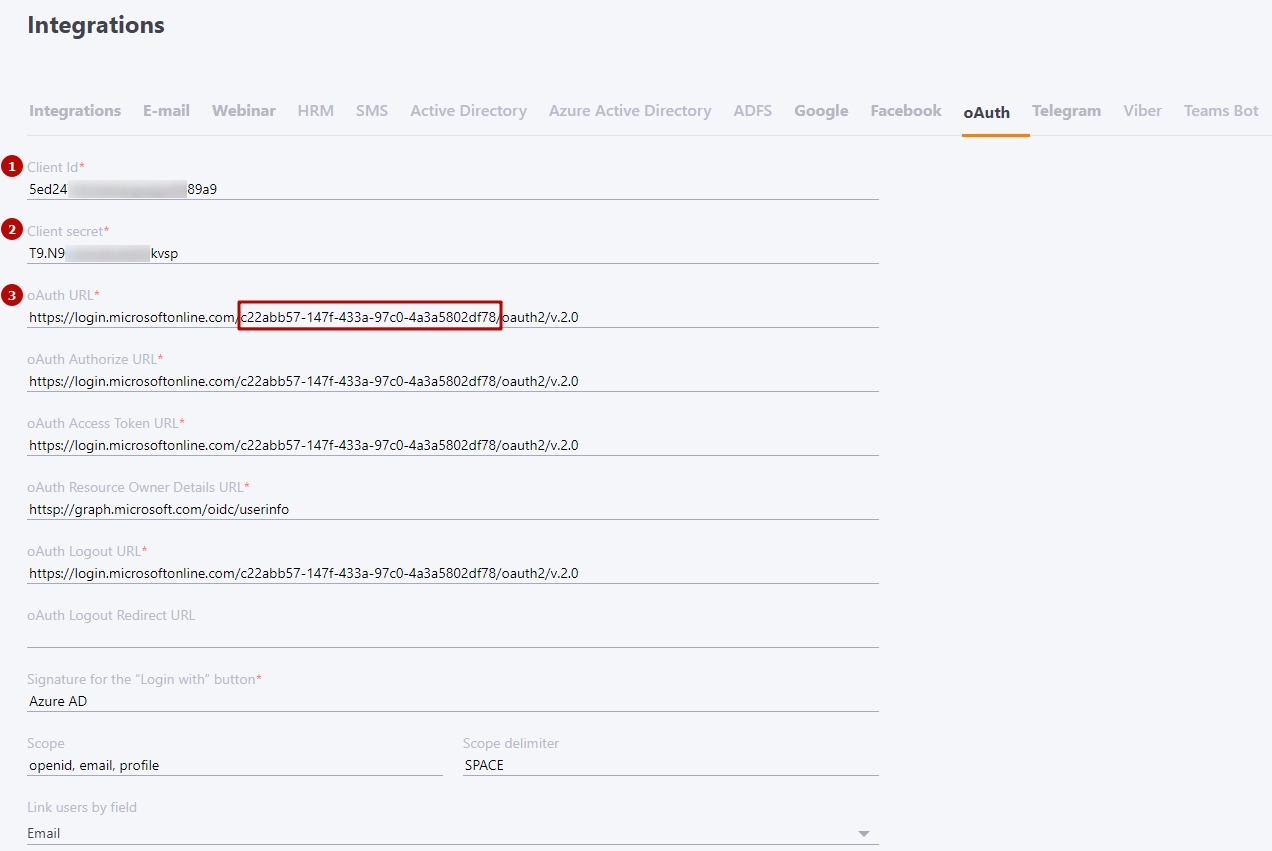
Integration with Google
URL values are generated based on TenantId:
oAuth URL:
https://accounts.google.com

oAuth Authorize URL:
https://accounts.google.com/o/oauth2/v2/auth

oAuth Access Token URL:
https://oauth2.googleapis.com/token

oAuth Resource Owner Details URL:
https://openidconnect.googleapis.com/v1/userinfo

oAuth Logout URL:
https://oauth2.googleapis.com/revoke